How To Stop/ Change Your Auto Upvote On Minnowbooster.net & Steemvoter.com
steemit·@aftabkhan10·
0.000 HBDHow To Stop/ Change Your Auto Upvote On Minnowbooster.net & Steemvoter.com
 [Credits](https://steemit-production-imageproxy-upload.s3.amazonaws.com/DQmSUMxirtednpd4nSwFfSHnvzdRHxNDniR42WwX73cRLc6) Hello Everybody! Well, I have sold my vote to @minnowbooster from a couple of months, but two days ago it really sucked by voting power by upvoting a huge amount of people posts on a single day. So I just logged into my minnowbooster account to check why is it going crazy and then I found that I have set the bot to use my vote when my voting power is above 50, so I dragged it to 70. But today @afm007 asked this thing in the comments about how to stop this auto upvote bots from sucking voting power, so I wanted to make a tutorial post regarding this so that it may be a bit more clear to him and others too. <center>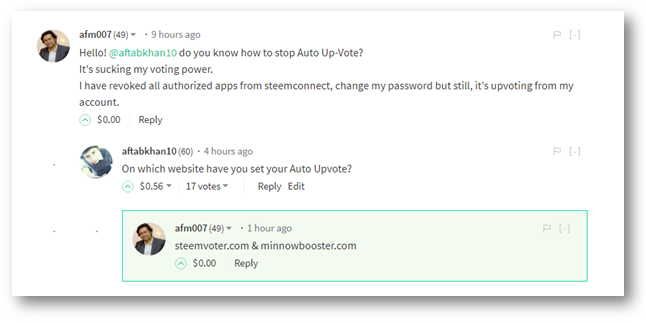</center> ### Changing/Stopping Auto Upvote on minnowbooster.net You can change or stop @minnowbooster from using your vote. Follow these easy steps. Log in to your minnowbooster account on https://www.minnowbooster.net. Click on `My Account` and then `Edit Info`. <center>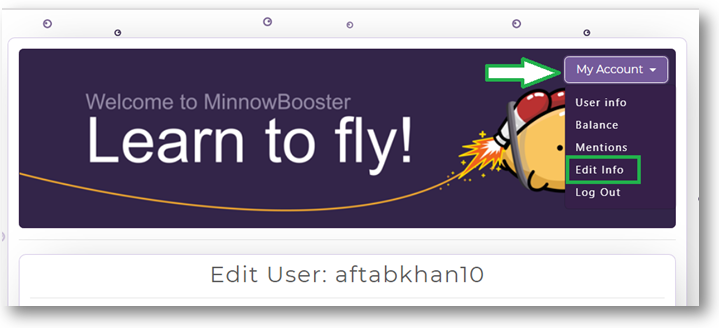</center> After clicking on `Edit Info` scroll down and you will find these tabs. 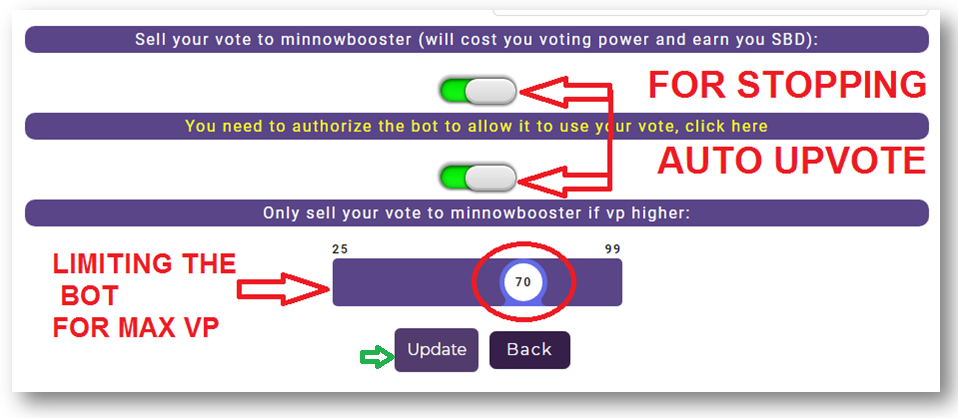 As you can see those two bars which are green. > Sell your vote to minnowbooster > You need to authorize the bot to allow it to use your vote, click here Click on those two bars and disable them, which will stop the bot from using your vote. But on the other hand, if you want to limit the bot to use your vote to use your vote if your voting power is higher than whatever range you set for it, then drag that ball which I highlighted on the bar and set it to whatever voting power you want. As you can see I have set it to 70 now. ### Changing/ Stopping Auto Upvote on Steemvoter.com Well, I didn't use Steemvoter.com yet, but I guess this is how it is done on Steemvoter.com. I am sharing these screenshots from @kauslevi video. Login to your Steemvoter.com account. You will see `Account Action` on the right side of your window, and then some tabs below that. You can click on `Delete` in order to remove your account from Steemvoter.com. <center>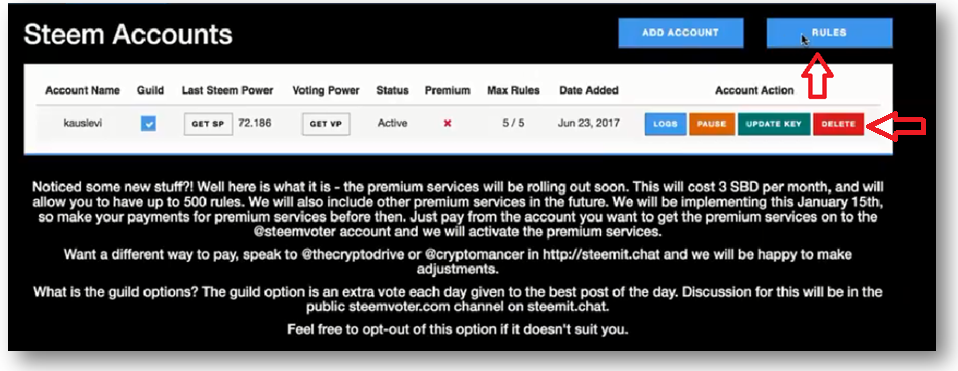</center> You can also edit some other accounts which are set for your Auto Upvote. Click on `Rules` tab. You will have this window from where you can Delete/Edit your Authors. I guess it's really much simple on there. <center>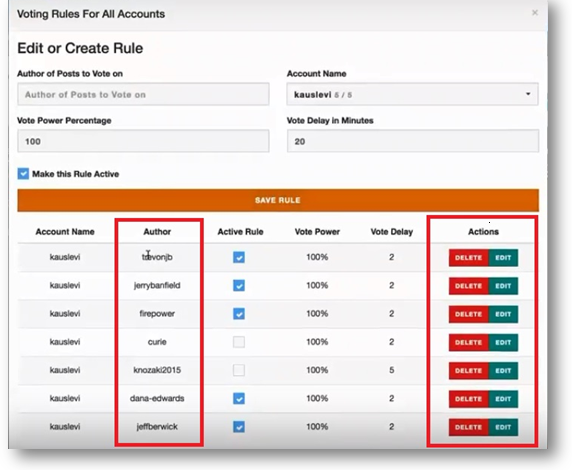</center> I hope that may have helped you. Don't forget to leave a comment. Thanks <center></center>