My first step-by-step tutorial | Drawing process
art·@cookiespooky·
0.000 HBDMy first step-by-step tutorial | Drawing process
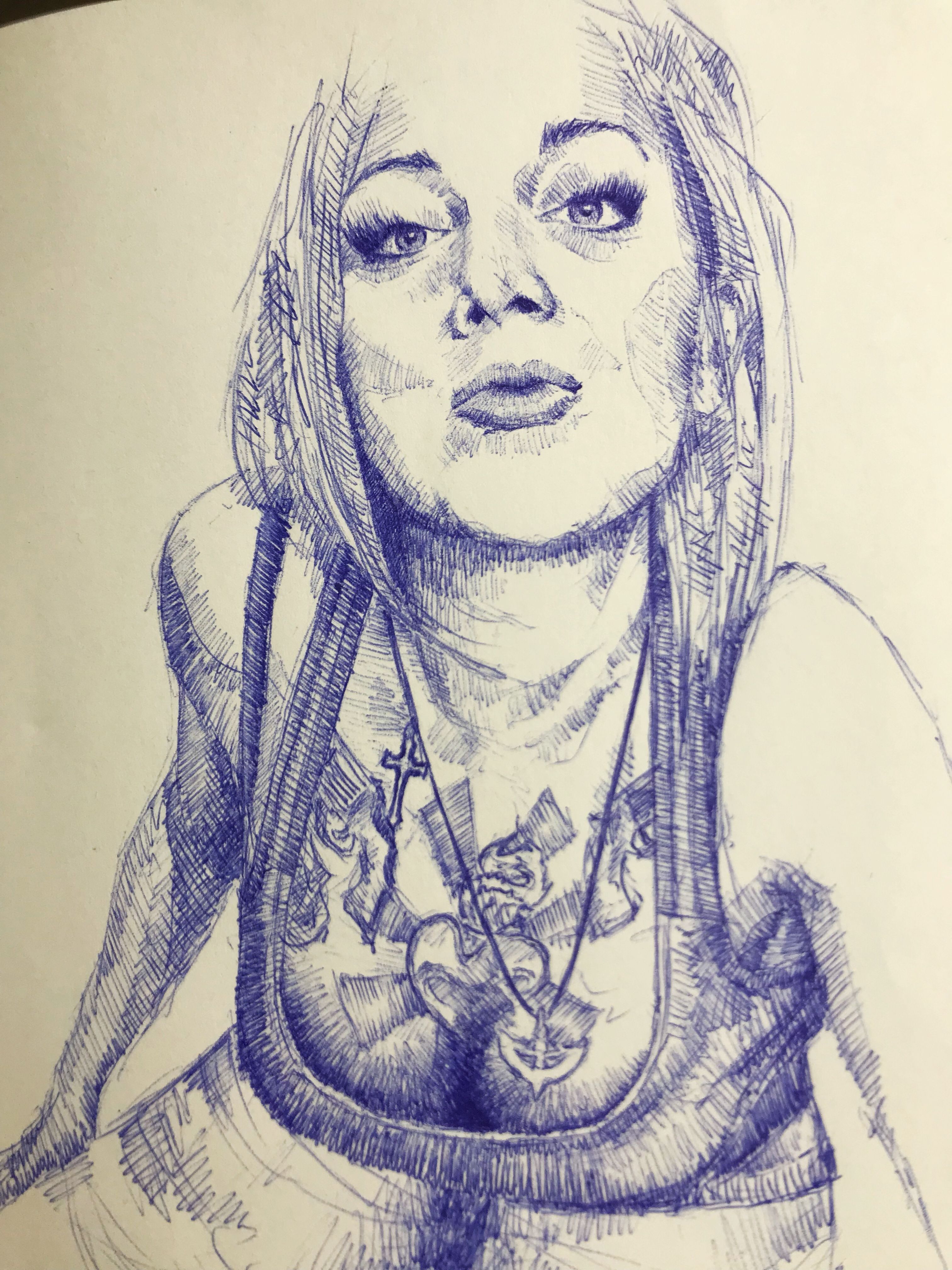 Hey folks! What’s up? Some of you guys asked me to make a step-by-step process of my drawing, so that’s it! As a small prelude I should say that I usually draw with a pen, so there is no opportunity to erase wrong lines. The only way to hide them is to put additional shades or thicker lines where it looks fine. Anyways, I’m not bothered by excessive lines and strokes, because some excessive lines create the shade of carelessness and I like it. I will skip some obvious steps, but I hope you will see the point. Let’s start then, it’s gonna be pretty simple. Firstly, I’m outlining main contours with thin pale lines. 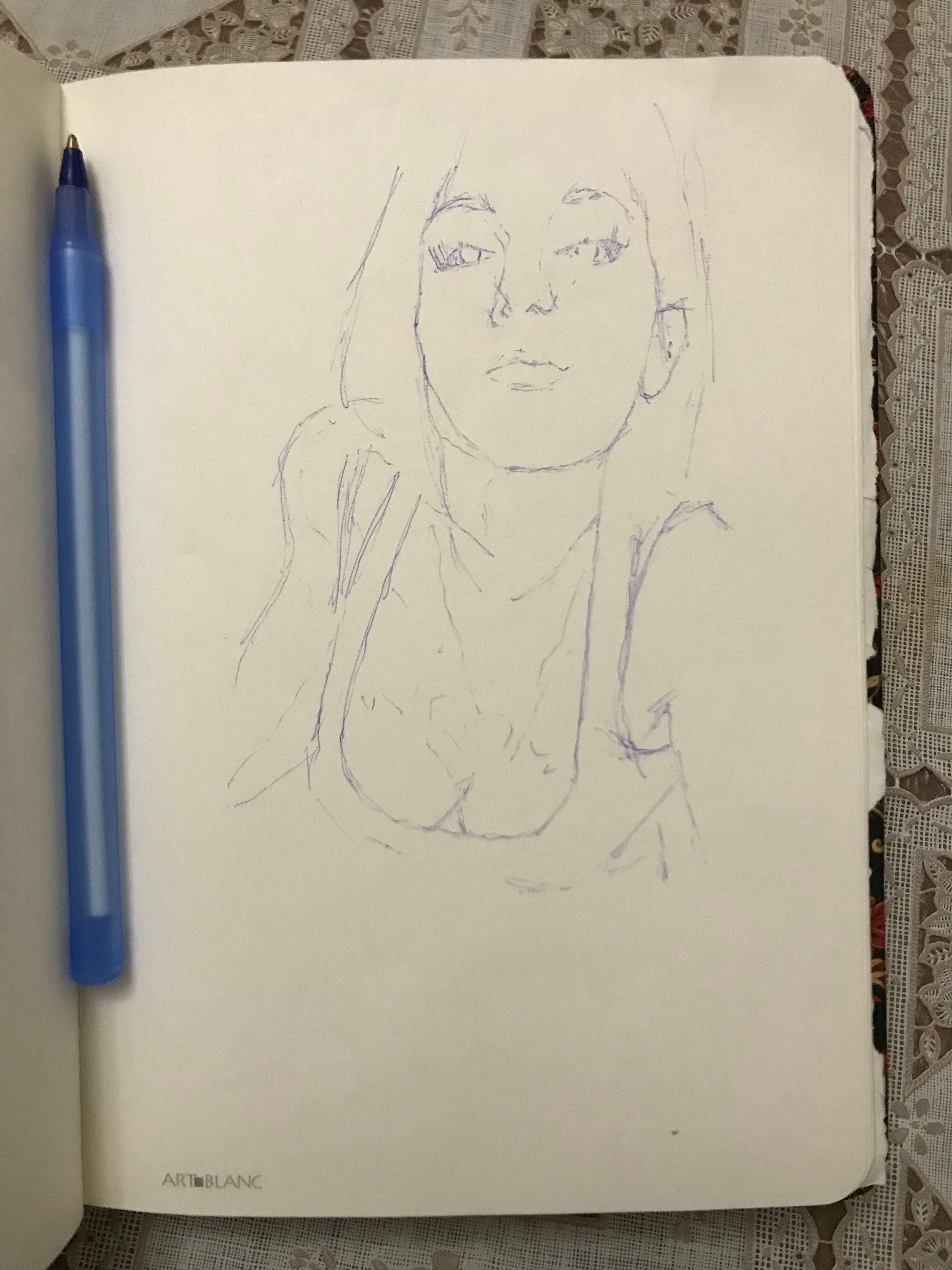 Now I see the shape and I can start shading and putting some main strokes. I start with the eyes and go down. Lines and shades are still mostly pale and thin. 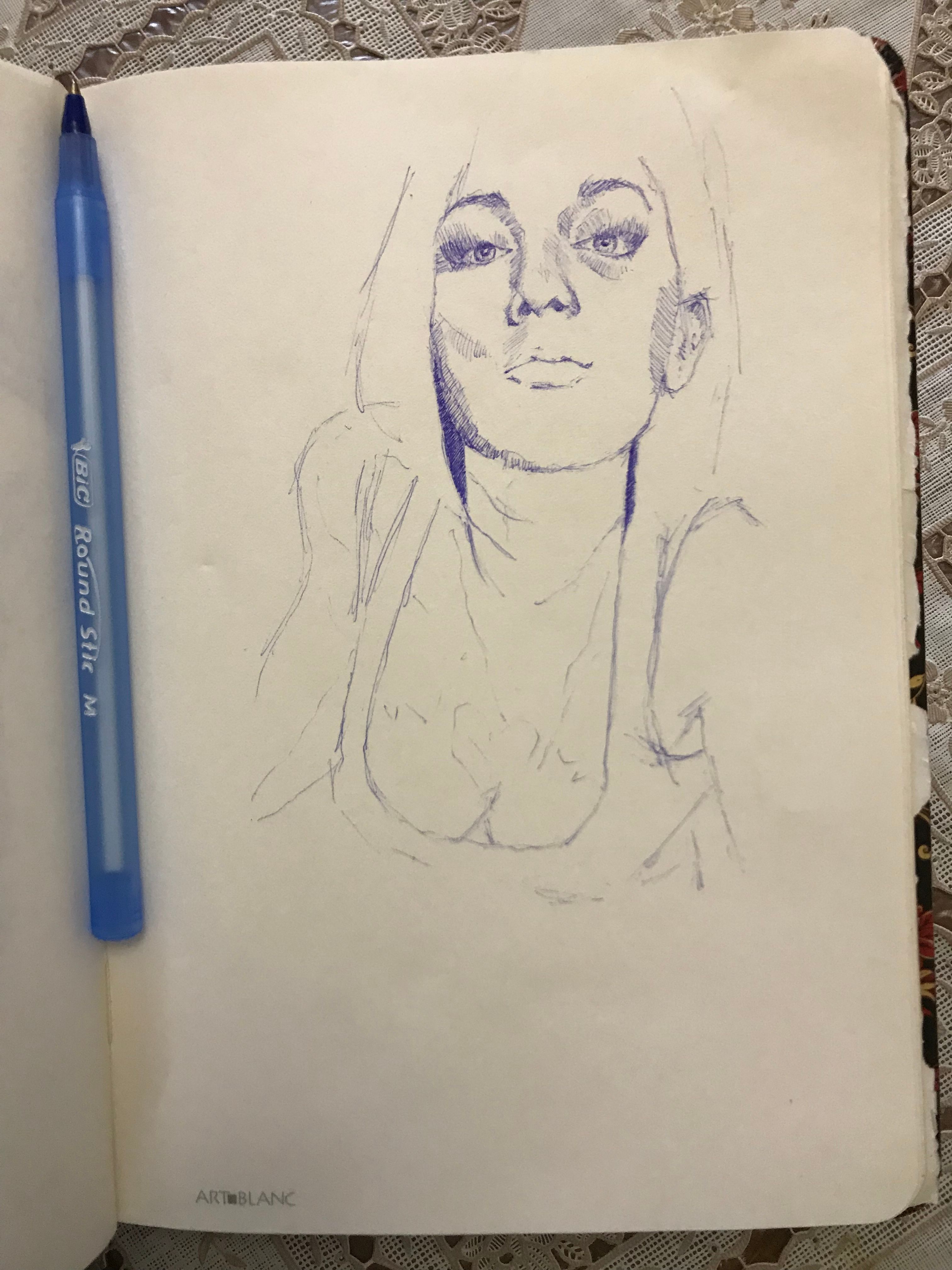 Next step is outlining mimic wrinkles and shading them. I usually try to finish with the face and neck first. 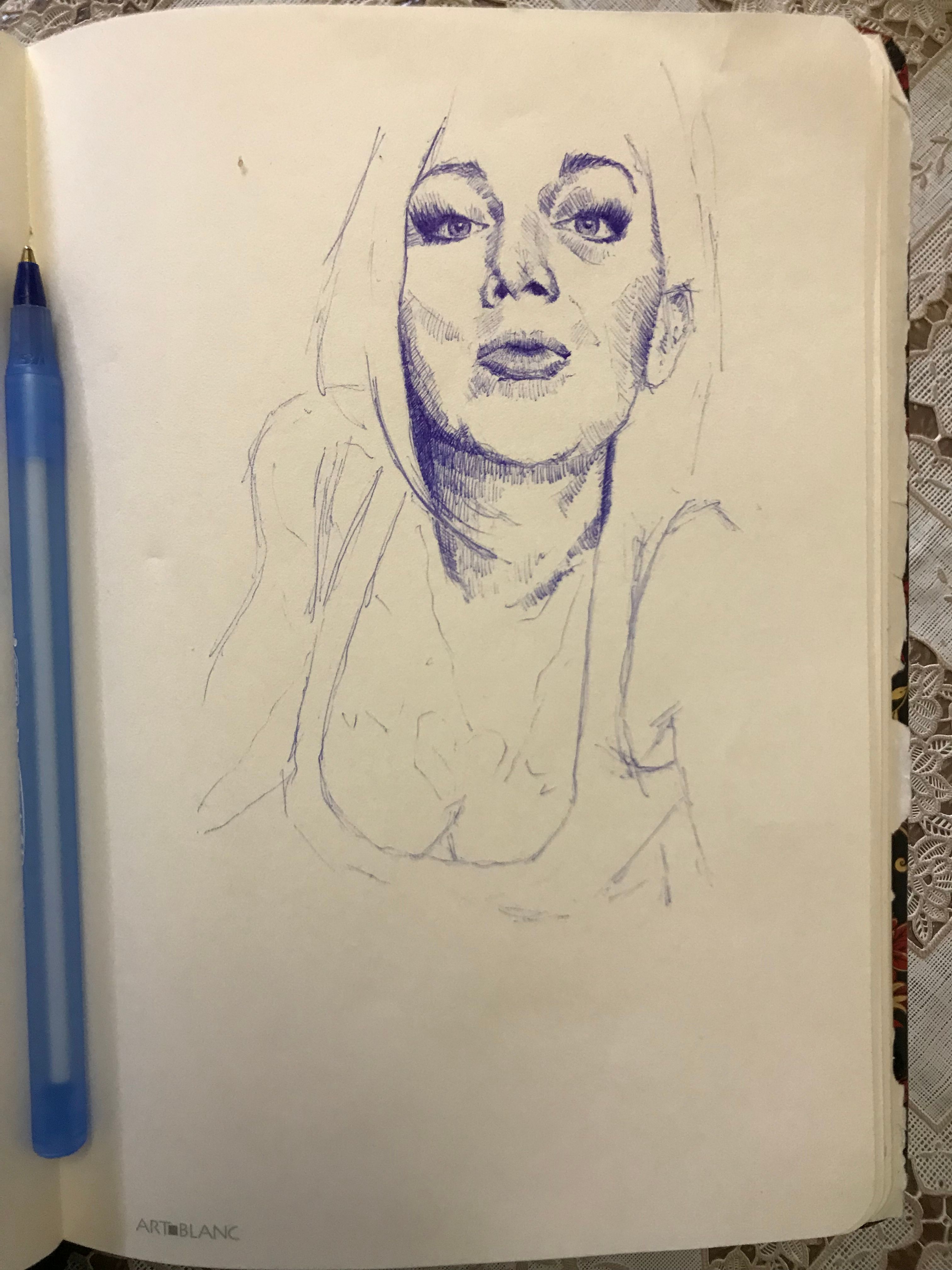 After that I’m outlining the rest: her arms, breast, shirt and tattoos. I like tattoos btw:) 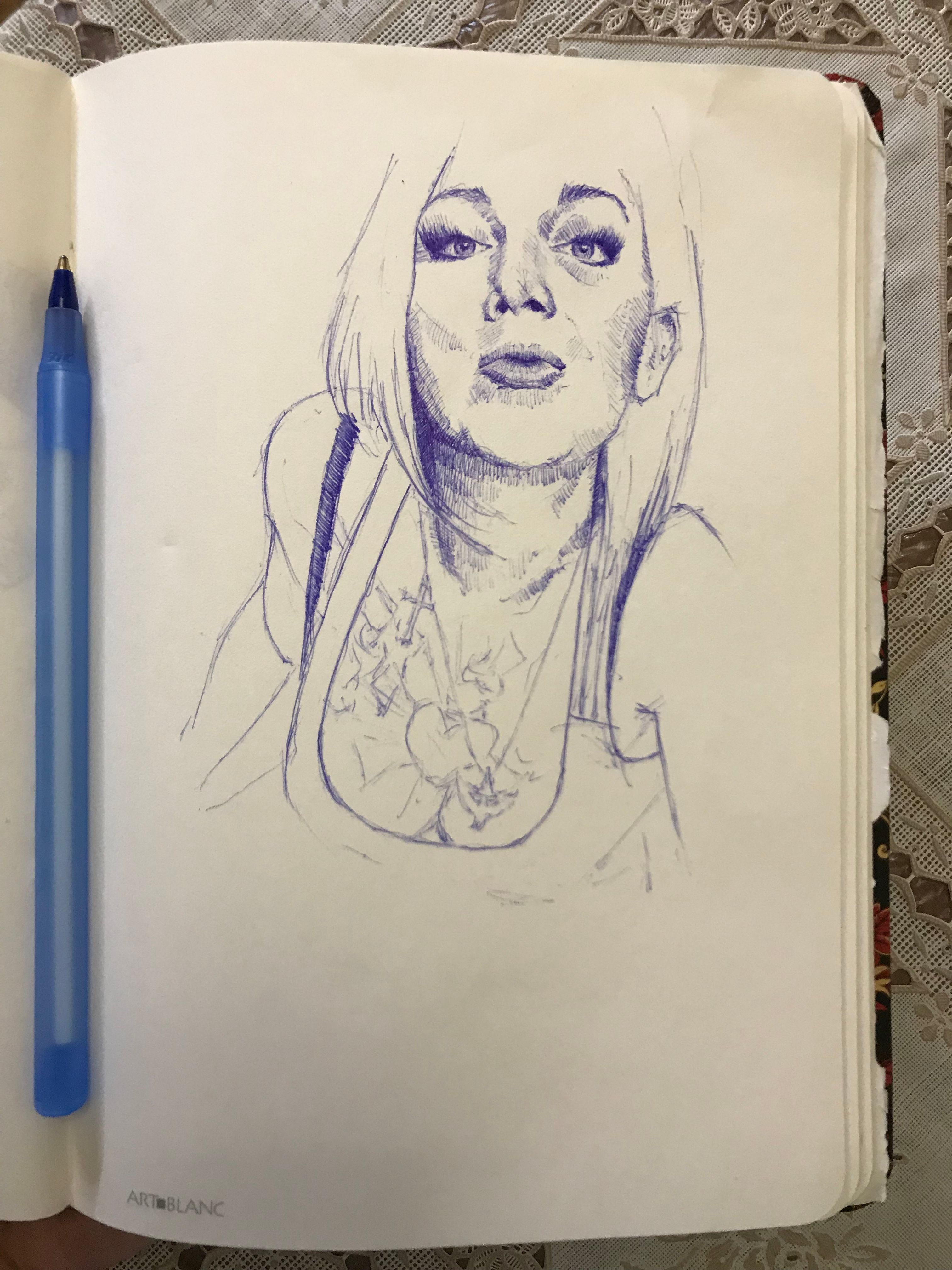 Now I’m shading all that, looking at it at different angles, add some details... 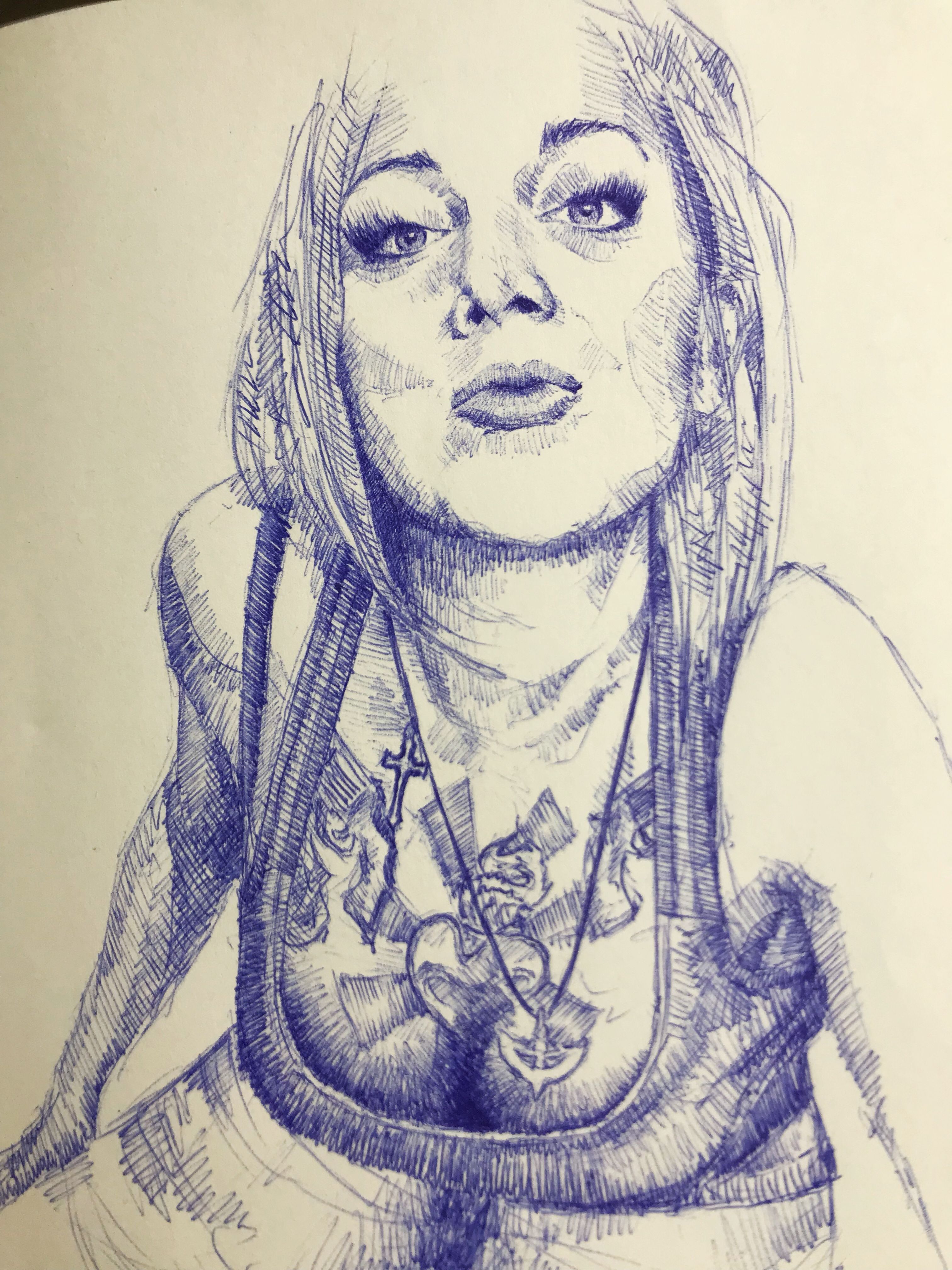 ... and voila! I hope you enjoyed the post or maybe it was even helpful for you:) If you like it, feel free to comment&follow, don’t hesitate to upvote or even resteem:) Sincerely yours, Anton
👍 fahrizalarif1995, sniffbiff, tereska88, prakashghai, lordkingpotato, reeldeal, ellicia, tamacvet, tormiwah, curie, liberosist, err0rist, outwalking, meerkat, erangvee, evelyniroh, ewuoso, hasitpbhatt, jasimg, anwenbaumeister, hendrikdegrote, suheri, crimsonclad, r0nd0n, kushed, pharesim, xeroc, cebymaster, oleg326756, diggerdugg, annwhite, steemedia, frankchen, derosnec, dailyquotes, thatdamiguy, daniel36, christinedavis, andywong31, ramsteem, cotidiana, bp423, tanyaschutte, dejan.vuckovic, ausbitbank, siavach, oscarcc89, azirgraff, socialspace, moisesmcardona, toxichan, ilvacca, nanosesame, dirty.hera, sethlinson, joanstewart, pacokam8, skycranehandwork, robertvogt, aboutyourbiz, sieses, steem-id, mrs.agsexplorer, blakemiles84, samether, gomeravibz, dan-bn, phenom, natra, embalsespr, bienvenida, preguntame, dailygrcstats, artbyclark, steventylerdna, jaro-art, donnacharlie, mphil, leminhead, photohunter, wenom38, bridget.art, kargra, cyfi, hiroyamagishi, gironimo, adelepazani, crissimoes, fordmogul, informist, mister-omortson, heart611, gclipse, daniel555, lordneroo, saratings, dimon14, avgeaccesorios, logikos, jaca, erb, granblock, innerdialogue, jellenmark, laniakea1, saleg25, naideth, creativelywendy, klaut, daes131, tronthetechie, paulie2coins, ronism, captainyeeha, thedon1, drtarts, jmvaron0, zararina, rfece143, sc0ut, ivan123, pia-ps, allowisticartist, afero7439, hrcblogging, aximkrat, yurche, cinemarebell, jungwatercolor, unlonely-soul, maryanaro, jacobkaled, naydenova, followforupvotes, primetimesports, fivestargroup, goodcatt, dmiton, steemitboard, setianovanto, mdraihanhkn, dylanm, spaceginger, ipman62, julienbh, andrewskelton, occupywallets, happyphoenix, elliebong, aleoni, easy-art, rachelsvparry, humanities, escluis, winizart, sciborg, uzdc, sebastianic, estepd, komal, chaoticdreamer, sopra, samhenry, huslein.slash, teukudianaulia, nadejdaalienor, miftahul23, nickmorphew, iuliananae, jfus, fromcgeddon, justcolorit, lizbetcontreras, art-mess, kedimuren, melooo182, warda, frankches, tiloupsa, yaleal, geonusantara, failbetter, gueahm, phogyan,