How to Create a Project on Fundition.io and Receive Donations!
steemit·@gmichelbkk·
0.000 HBDHow to Create a Project on Fundition.io and Receive Donations!
Would you like to learn how to create a project on *Fundition.io* to receive donations using the *Steem* blockchain because this might be useful for you if you want to fund a *Steem* project or a business startup, receive personal financial help or give to charity? 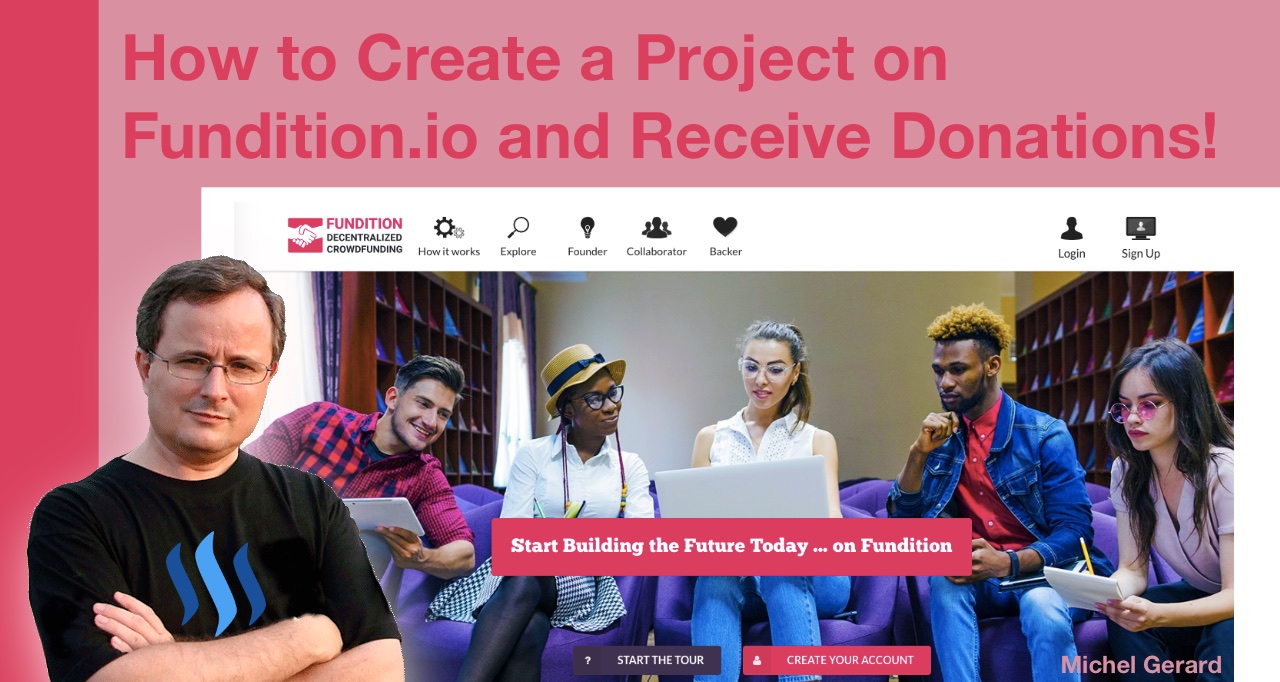 [*Fundition.io*](https://fundition.io/) is a new decentralized crowdfunding platform using the *Steem* blockchain where you can post a project that you want funded or donate for projects. You can find them on *Steemit* here: *@fundition* In this blog post I will show you how I created my first project step by step because after you have seen how it's done, you will be able to post your own. I learned of [*Fundition.io*](https://fundition.io/) from *@jerrybanfield* in this post: *[All In On Fundition.io + Budget Proposals Ending + Bot Delegator Payouts Increasing to ~110%!](https://steemit.com/fundition/@jerrybanfield/all-in-on-fundition-io-budget-proposals-ending-bot-delegator-payouts-increasing-to-110)* I encourage you to read my previous post about [*Fundition.io*](https://fundition.io/) first because it explains how to log in using *SteemConnect,* shows the different categories for projects and how people can make donations: *[How to Make a Donation on Fundition.io to Fund a Steem Project!](https://steemit.com/steemit/@gmichelbkk/how-to-make-a-donation-on-fundition-io-to-fund-a-steem-project)* I was encouraged and inspired to write more about this new platform, so here is my second tutorial. ## How to Create a Project on Fundition.io and Receive Donations! As I want to write this tutorial for you, I am asking myself, *"What kind of project am I going to post?"* because I do not have something I have previously thought of. I could ask some money for a nice dinner on my birthday, which happens to be today, *28 May,* and which also was the day I posted my introduction post here on *Steemit*: *[Joining Steemit on my Birthday!](https://steemit.com/introduceyourself/@gmichelbkk/joining-steemit-on-my-birthday)* I fear all the downvotes I will get if I do that, so I'm going to do something else. After thinking about it, I'm going to create a project, which will give back all donations to other founders of projects on [*Fundition.io*](https://fundition.io/). Let's go to *https://fundition.io* together and see how to create a new project. After you have logged in, click on the *"New project"* button. 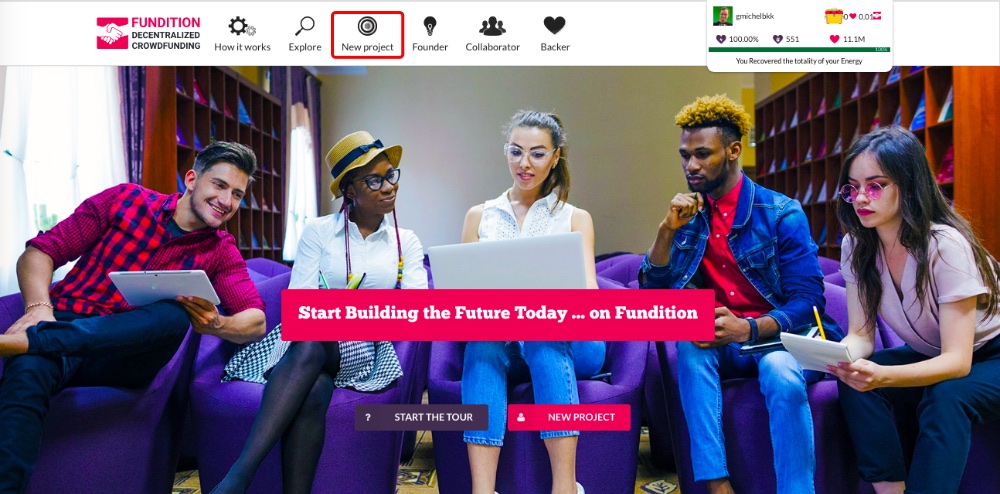 You will go to this page, which is the first step of six. 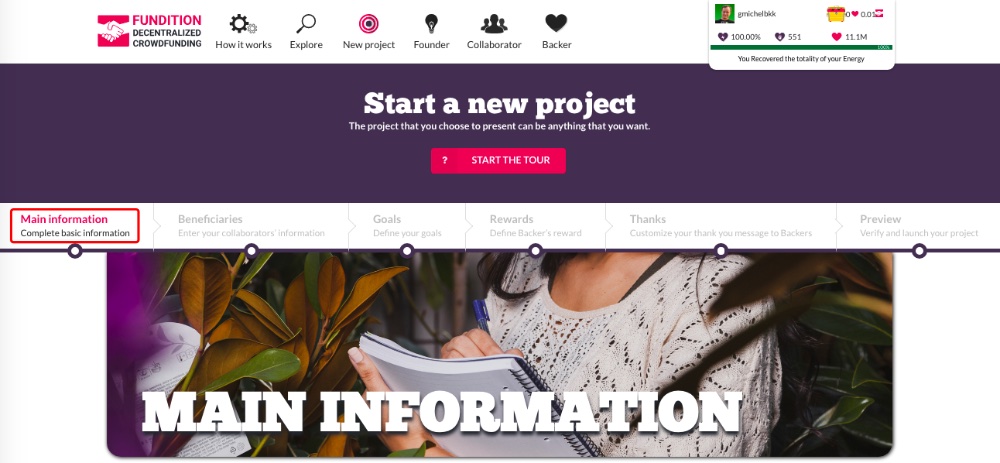 If you want, you can click on the red *"Start the tour"* button to have some insight of what the different sections are. 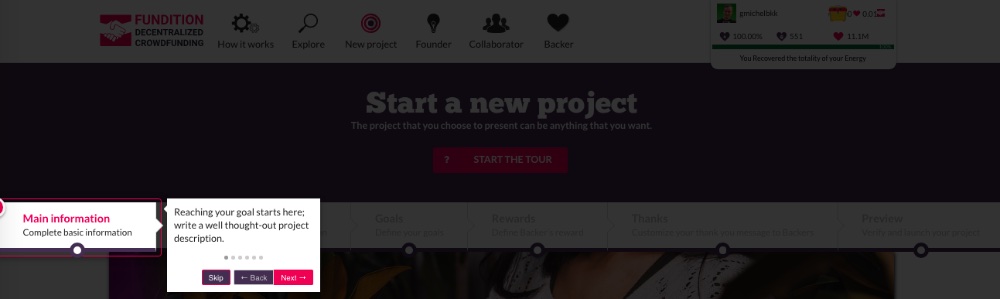 ### Step 1: More information The first section is *"Main information"* and what you have to do is write a well thought-out project description. Before that, you have to select a language and *3 tags* from a menu. Then, you can type your title. 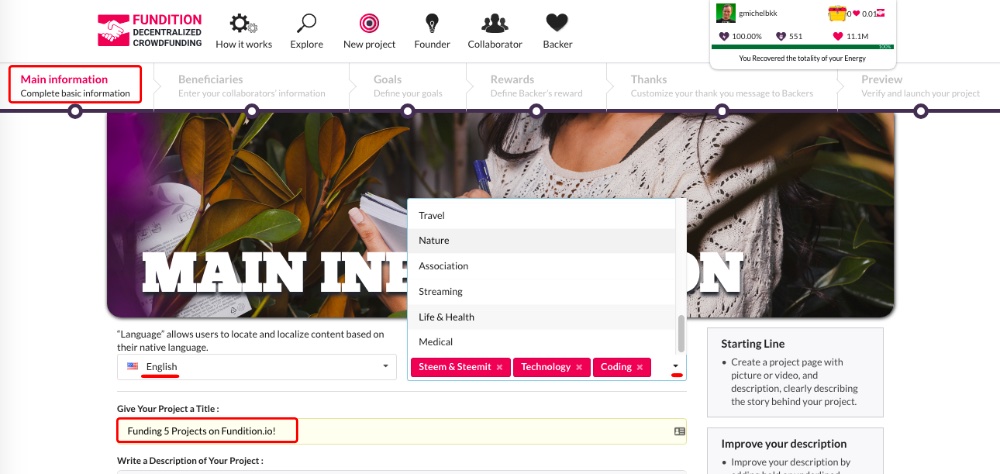 My title is *"Funding 5 Projects on Fundition.io!"* My *3 tags* are *"Steem & Steemit, Technology, Coding."* Now, it's time for the description and just like on *Steemit,* you can use the editor for your text, add photos or videos and links. At the right, *Fundition.io* is giving you a few tips to write your description the best you can. 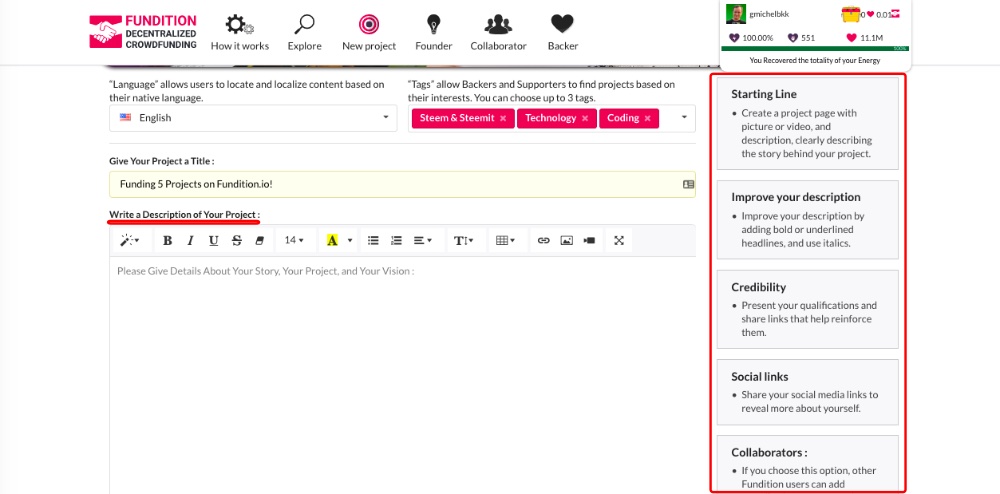 I am going to write mine now. As you can see, you can add images and links as you would normally do on *Steemit.* 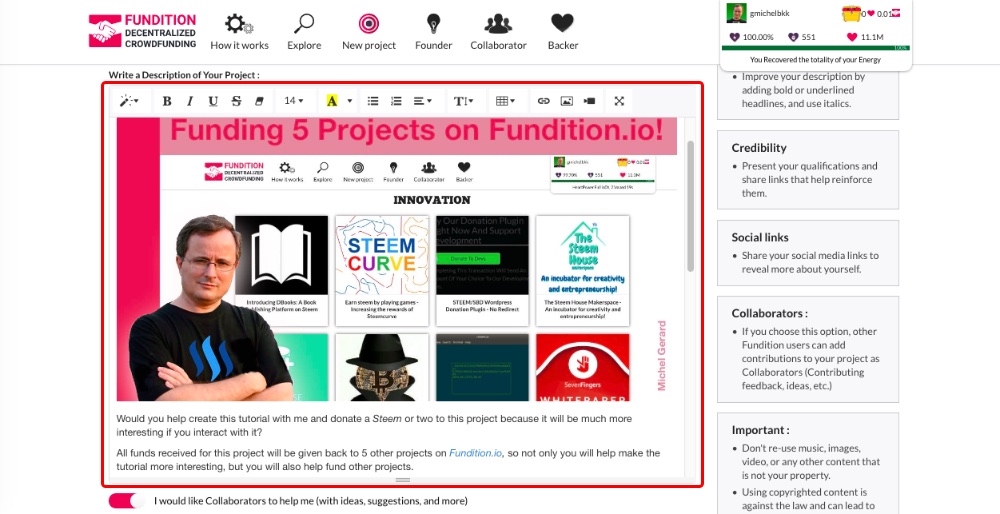 After your description is finished, you can congratulate yourself, because this is what will give you the most work on *Fundition.io.* There is one last part in this first section. First, you can enable *"I would like Collaborators to help me"* and this is what they say about this option. > **Collaborators :** If you choose this option, other Fundition users can add contributions to your project as Collaborators (Contributing feedback, ideas, etc.) Second, enter your social links. 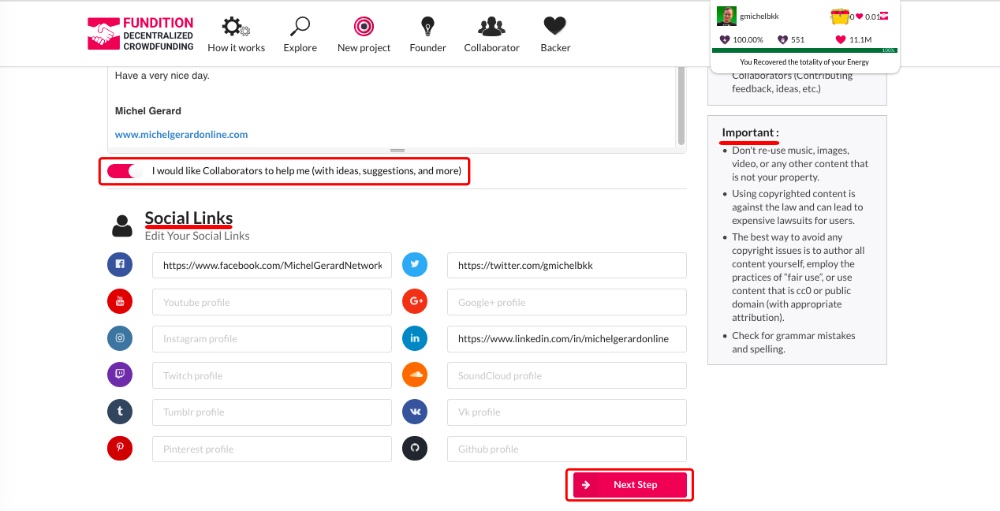 There is an *"Important"* note at the right that I also encourage you to read. Now that the *"Main information"* is completed, you can click *"Next Step."* ### Step 2: Beneficiaries The next step is to select your beneficiaries if any. As the creator of the project, you are the *"Founder"* and by default you receive all proceeds for the project. You may want to choose one or several *"Beneficiaries"* to receive a percentage of the *Steem* proceeds on the project. They might be someone working on the project with you, or you may give back a small percentage to *@fundition,* which is not required. 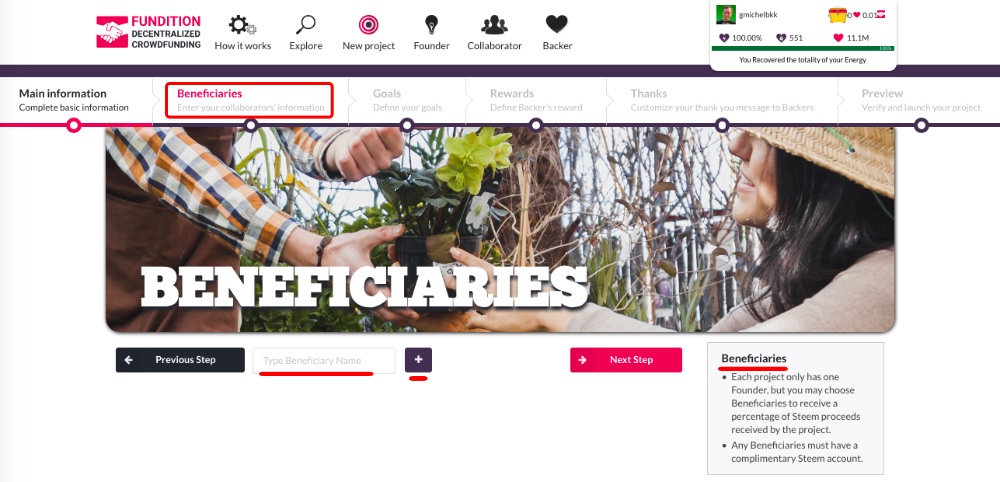 You have to enter each beneficiaries one by one, and you should read the note at the right. I am going to add *5 beneficiaries* who are people with projects in the *"Innovation"* category of *Fundition.io:* *@steemcurve, @ojebaba, @yonilkar, @steem-plus* and *@justinadams.* 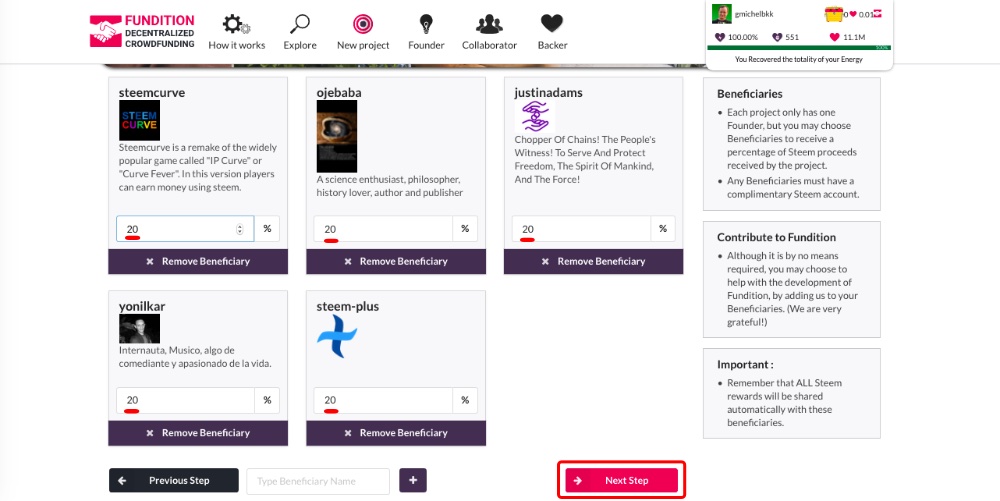 As you can see, I gave them *20% each,* which makes a total of *100%,* and I should not receive anything from the *Steem* proceeds of this project. If you have only one beneficiary and give them *50%,* as the founder of the project, you will receive the other *50%.* This is what they explain for that section: > **Beneficiaries** > > - Each project only has one Founder, but you may choose Beneficiaries to receive a percentage of Steem proceeds received by the project. > - Any Beneficiaries must have a complimentary Steem account. > > **Contribute to Fundition** > > - Although it is by no means required, you may choose to help with the development of Fundition, by adding us to your Beneficiaries. (We are very grateful!) > > **Important :** > > - Remember that ALL Steem rewards will be shared automatically with these beneficiaries. The last point is important to know because all *Steem* rewards for the project will also be shared with beneficiaries. When you are done with your beneficiaries, you can click *"Next Step."* ### Step 3: Goals This section is where you set your goals for the project. Click *"Add Goal."* 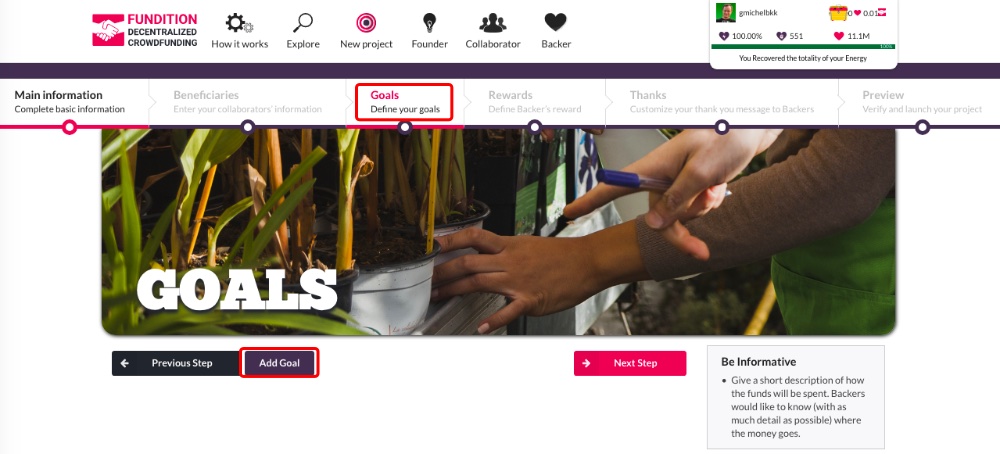 This window shows up and you can enter a title, description and amount for your goal. 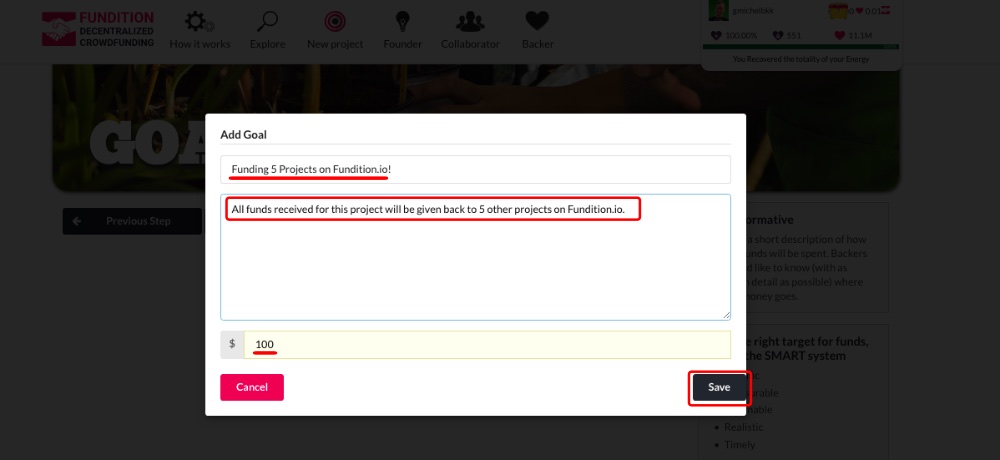 When it's done, click on *"Save."* 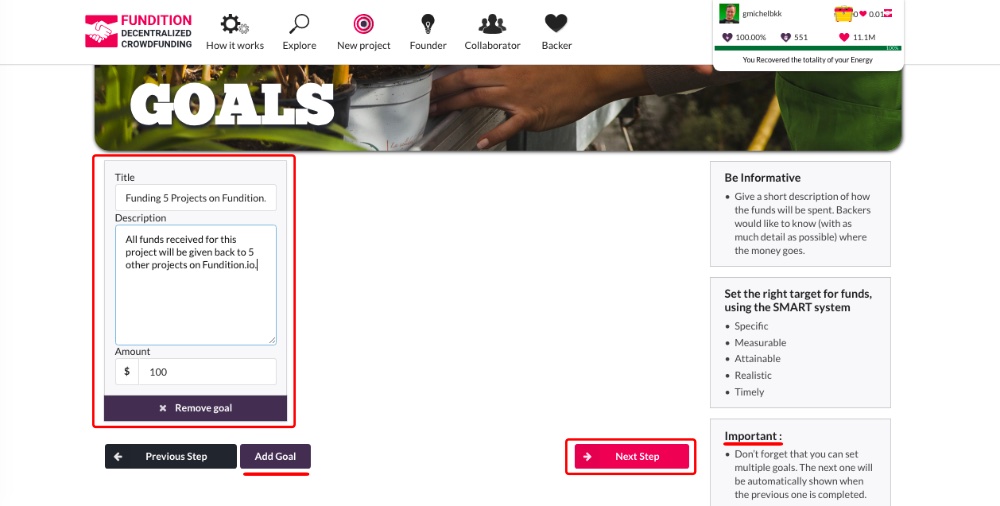 You can set only one goal like I did or several goals. > **Important :** > > - Don’t forget that you can set multiple goals. The next one will be automatically shown when the previous one is completed. When you are done with your goals, you can click *"Next Step."* ### Step 4: Rewards You may want to give rewards to users giving a certain amount to your project, and it's what this section is for. 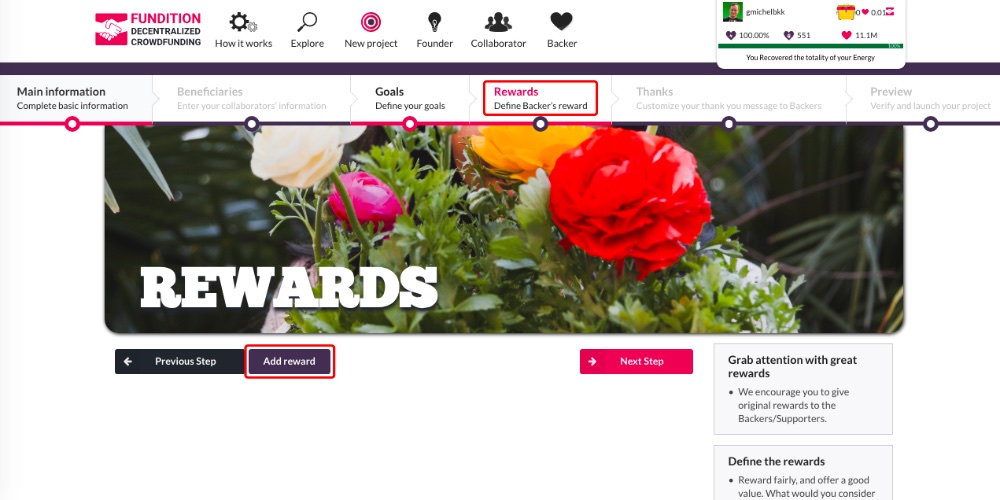 Click *"Add reward"* and on the next screen, enter a title and a description. In my example, the reward will be given to people donating *$1* to the project. 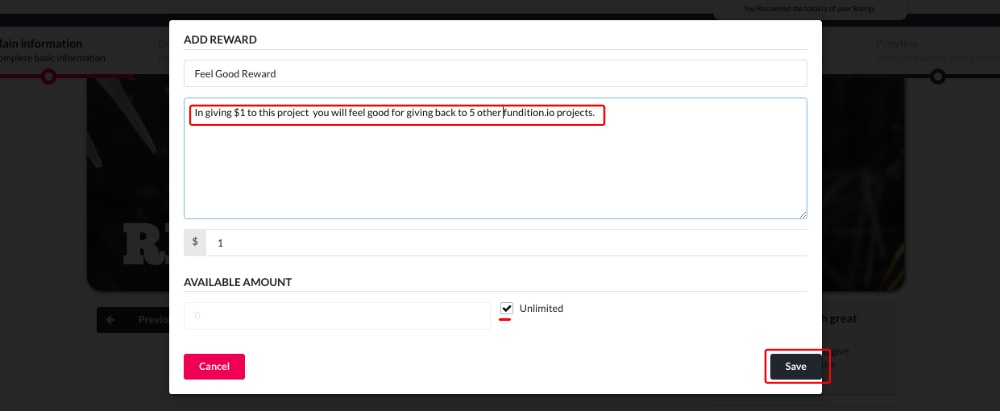 You can give an unlimited number of rewards or set a fix number there. Click on *"Save."* 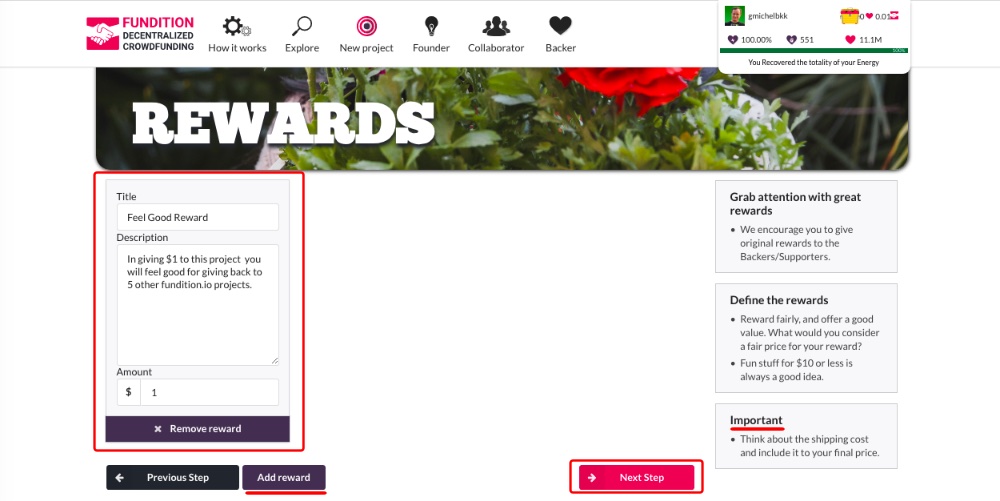 You can see your *reward* on the next page, and you can set several other rewards if you wish to. Notice what they suggest: > **Grab attention with great rewards** > > - We encourage you to give original rewards to the Backers/Supporters. > > **Define the rewards** > > - Reward fairly, and offer a good value. What would you consider a fair price for your reward? > - Fun stuff for $10 or less is always a good idea. > > **Important** > > - Think about the shipping cost and include it to your final price. When you are done with your rewards, you can click *"Next Step."* ### Step 5: Thanks This is the section where you can say *thank you* to people who donated to your project. 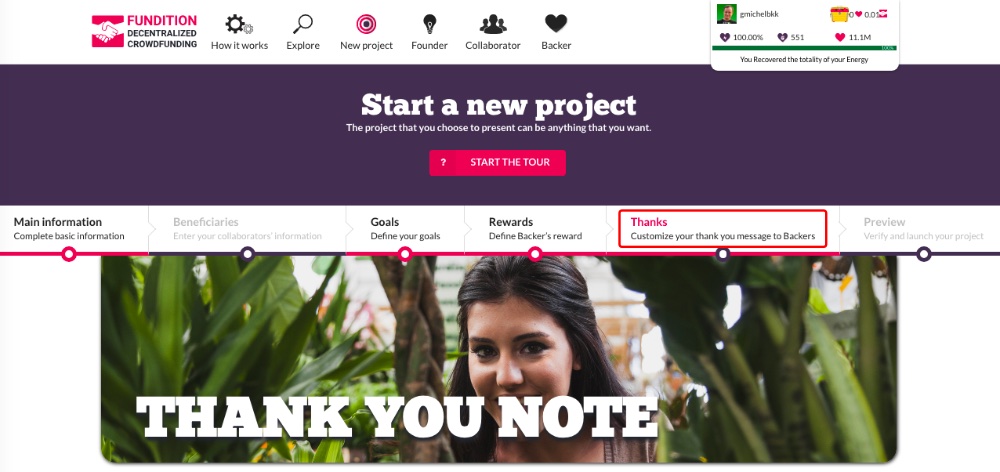 Enter your thank you note in the editor. 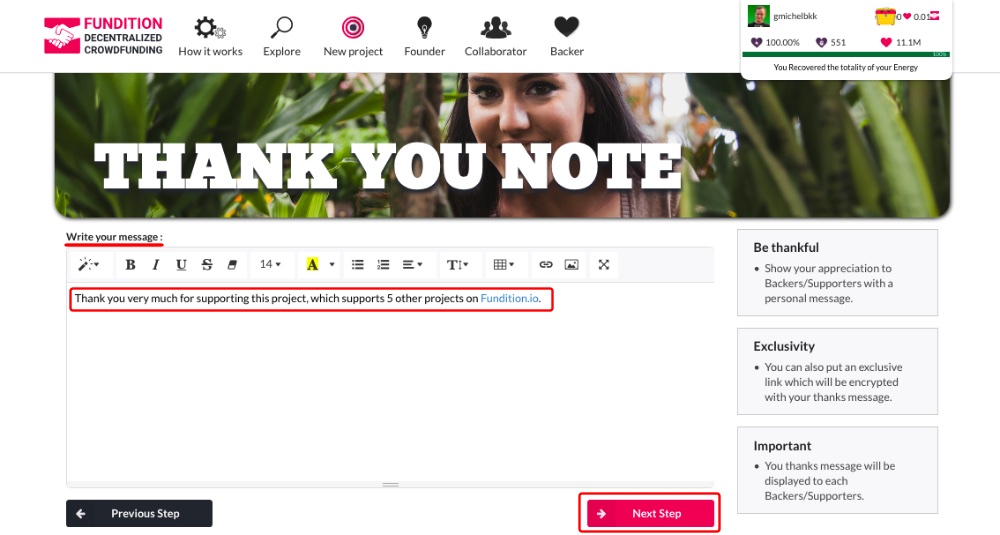 When it's done, then you can click *"Next Step."* ### Step 6: Preview The last step is a preview of your project. You can see how the project will look like. 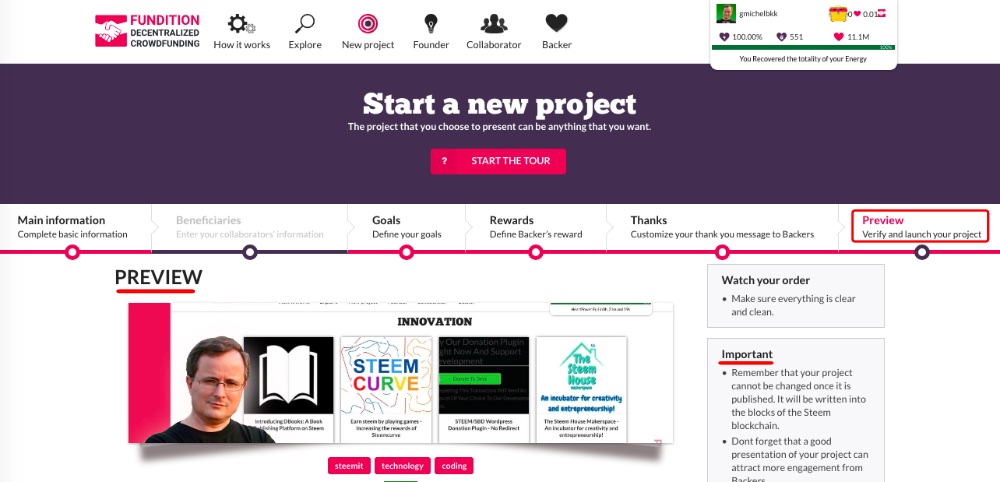 You can preview your *"Description."* 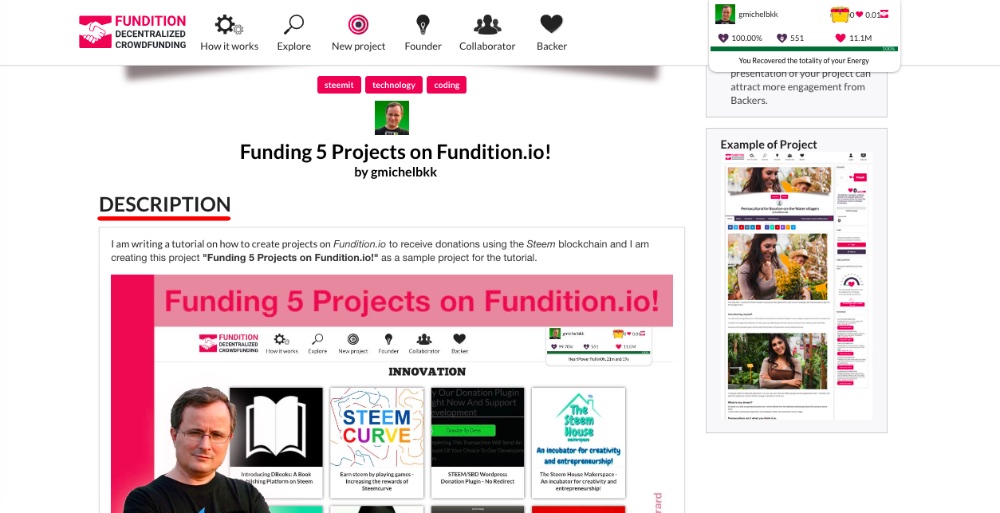 You can see how your *"Goals"* and *"Rewards"* will look like. 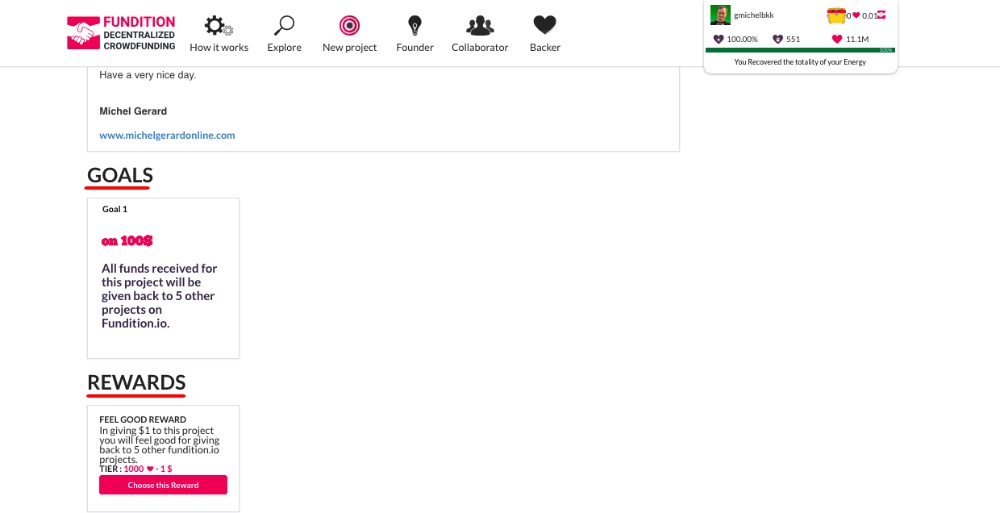 You can preview your *"Beneficiaries"* and your *"Thank You Message."* 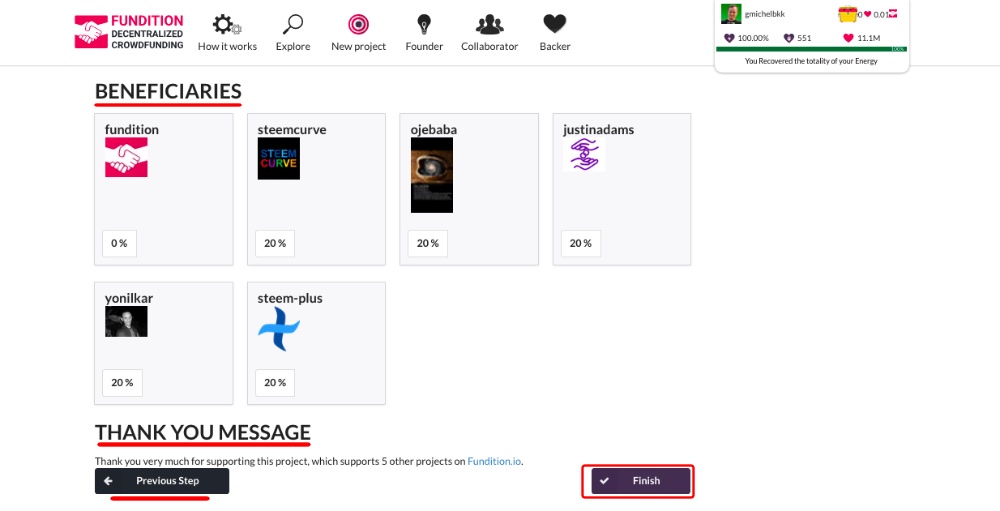 If for any reason you want to change something, then you can use the *"Previous Step"* button and if you are satisfied, then you can hit the *"Finish"* button. Read this important note from *Fundition.io:* > **Important** > > - Remember that your project cannot be changed once it is published. It will be written into the blocks of the Steem blockchain. > - Dont forget that a good presentation of your project can attract more engagement from Backers. ### Your project on Fundition.io As soon as you hit the *"Finish"* button you will see a big heart!  Then, your beautiful project will show. 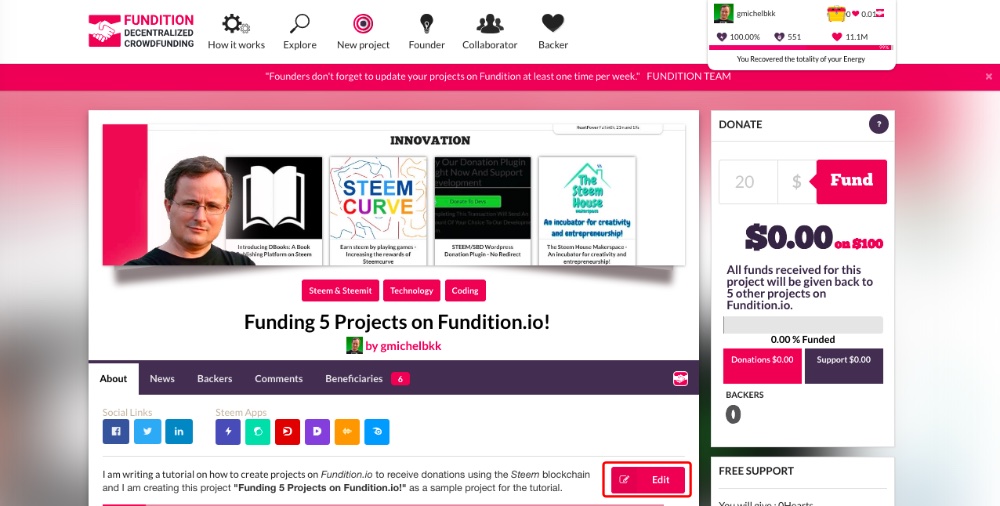 Note that you can still edit your project, until the rewards are paid *7* days later, I believe. ### Your project on Steemit At the same time, your project is showing on your *Steemit* blog like this. A custom thumbnail was created by [*Fundition.io*](https://fundition.io/) for your project. 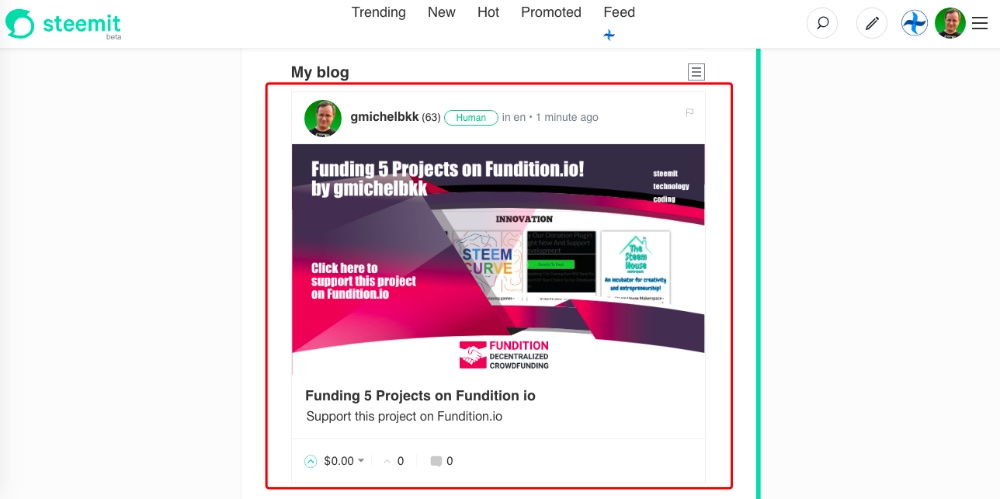 When you click on the post, you see an image with one line saying: *"Support this project on [Fundition.io](https://fundition.io/#!/@gmichelbkk/v2x2ey2vd)"* Remember that you selected *3* tags to create your project on [*Fundition.io*](https://fundition.io/) and two more have been added automatically *"en"* and *"myfundition."* 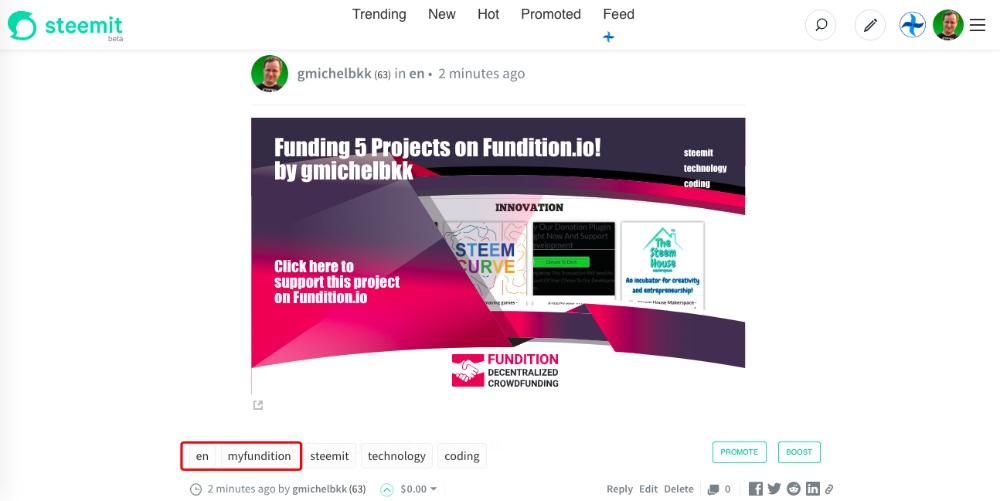 I think that this is too little content showing up on *Steemit,* and I really expected to see the *"Description"* of my project, which is under the *"About"* tab, in there. Maybe this is something *@fundition* is considering to add in the near future. In the mean time, I clicked the *"Edit"* button on *Steemit* and I copied and pasted my description below the original one, so readers can have all the information before going to the project here: [https://fundition.io/#!/@gmichelbkk/v2x2ey2vd](https://fundition.io/#!/@gmichelbkk/v2x2ey2vd) 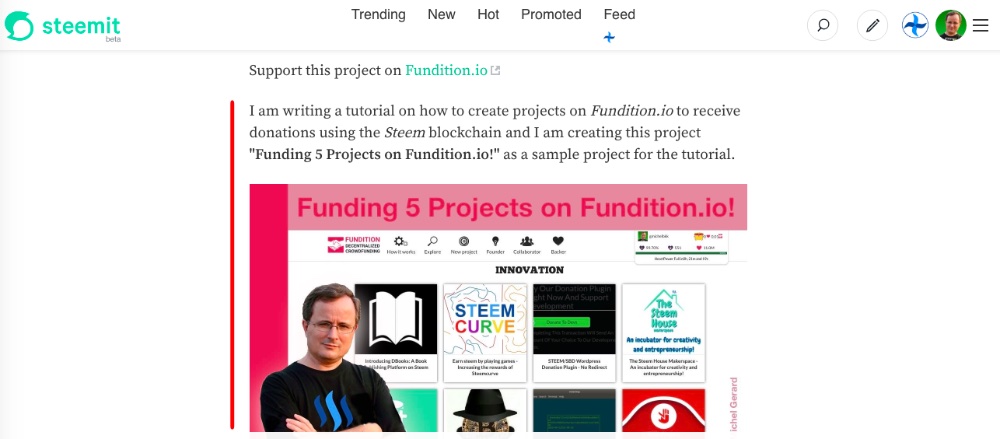 See my project on *Steemit:* [https://steemit.com/en/@gmichelbkk/v2x2ey2vd](https://steemit.com/en/@gmichelbkk/v2x2ey2vd) ### Updating "About" and "News" on Fundition.io As you come back to check out your project and maybe do some updates, you will notice that the project has already earned from people upvoting the post. This project has already earned *$3.63* in rewards, thanks to the *49 users* that have upvoted the post in the first *40 minutes.* 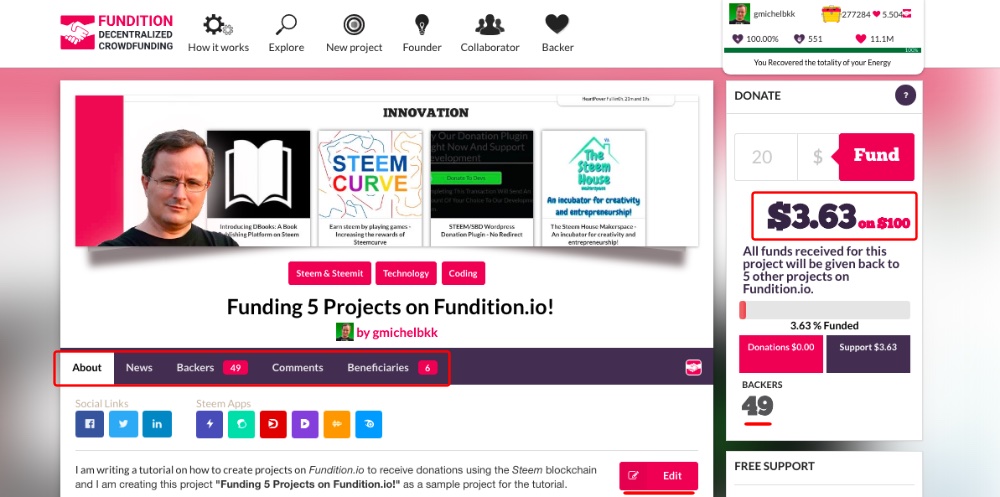 You can have a quick look at all the tabs in your project to see if everything is in order. I believe that you have seven days to edit the *"About"* section, just like a post on *Steemit.* The second tab is for *"News."* It's where you can post updates about your project and this will also make a new post on *Steemit.* 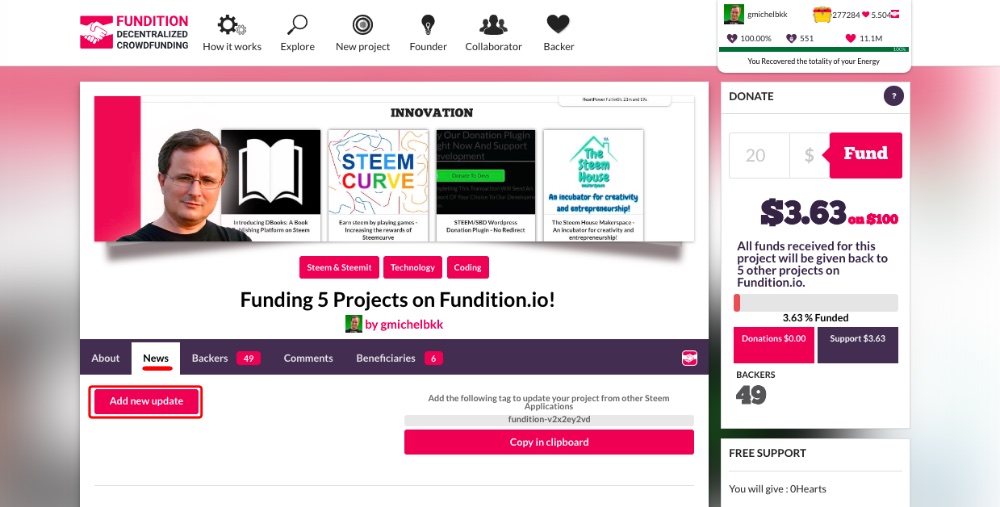 Click on *"Add new update"* to publish a *"News"* item. This page will show and this time you only have 2 steps: *"Main information"* and *"Preview."* 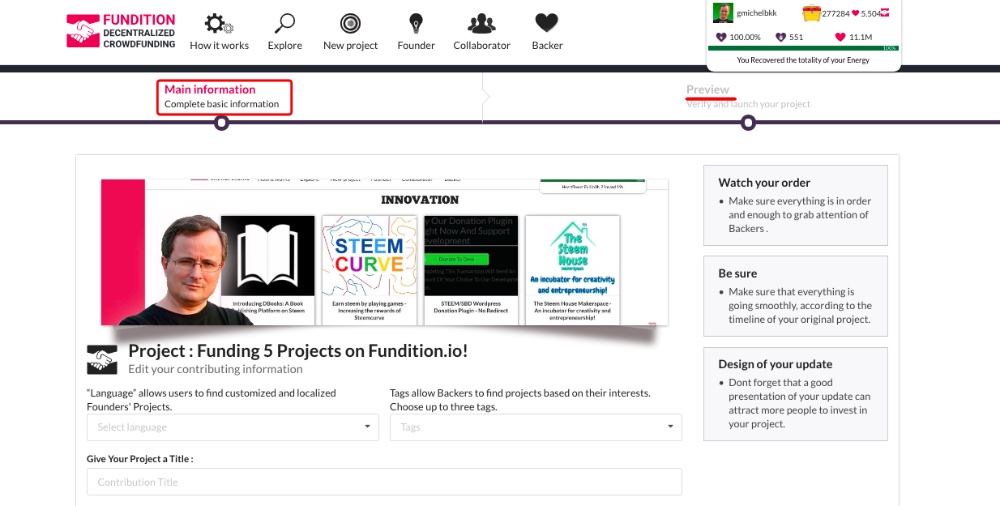 I am not going to do it now because this will make a new post on my *Steemit* blog, which I do not want, but the process is the same as creating the project. Let's see a *"News"* item from another project. 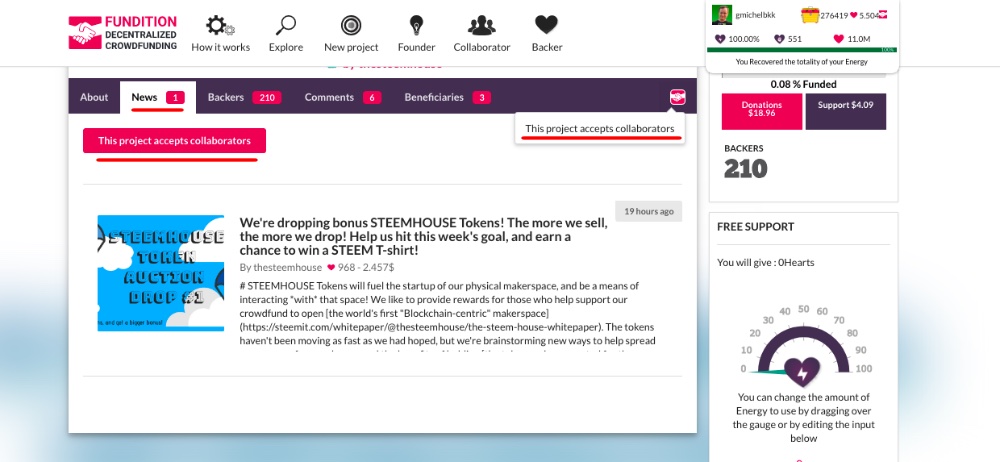 This project has one news and if you click on it, you will see the post. Notice this button: *"This project accepts collaborators"* This means that anyone can collaborate a post to the project like this. 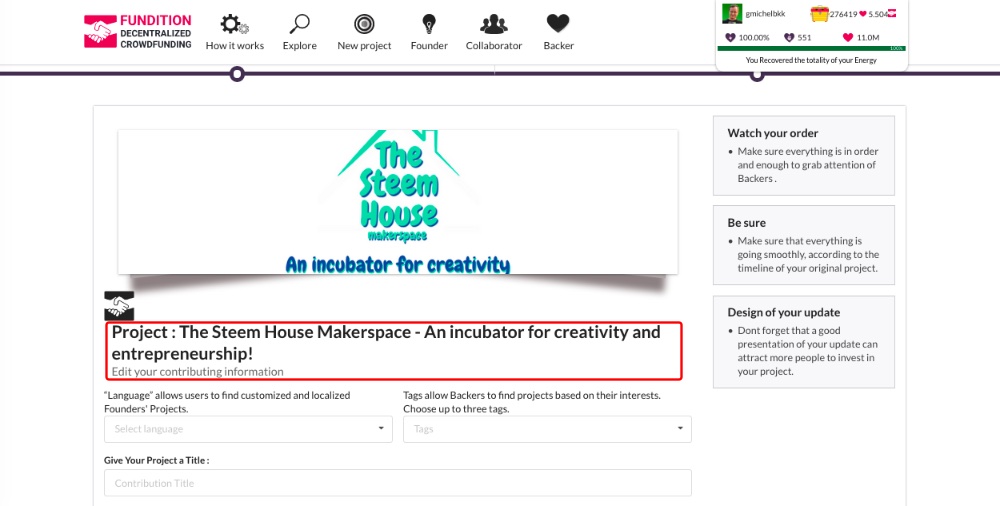 The post will be published on your *Steemit blog* and show up as a *"News"* item here. At the beginning of this tutorial I showed you how to enable this option. This is how you see a *"News"* item in [*Fundition.io*](https://fundition.io/). 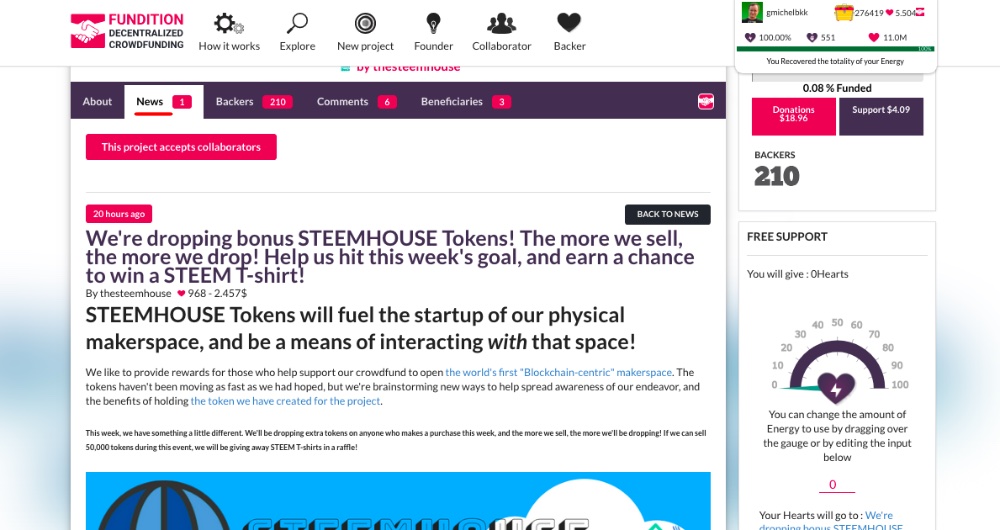 ### Backers, Comments and Beneficiaries On the *"Backers"* tab you can see all the people who have contributed to your project and I have now a total of *57 Backers* who upvoted the post, giving *$3.73* out of the *$100* requested. 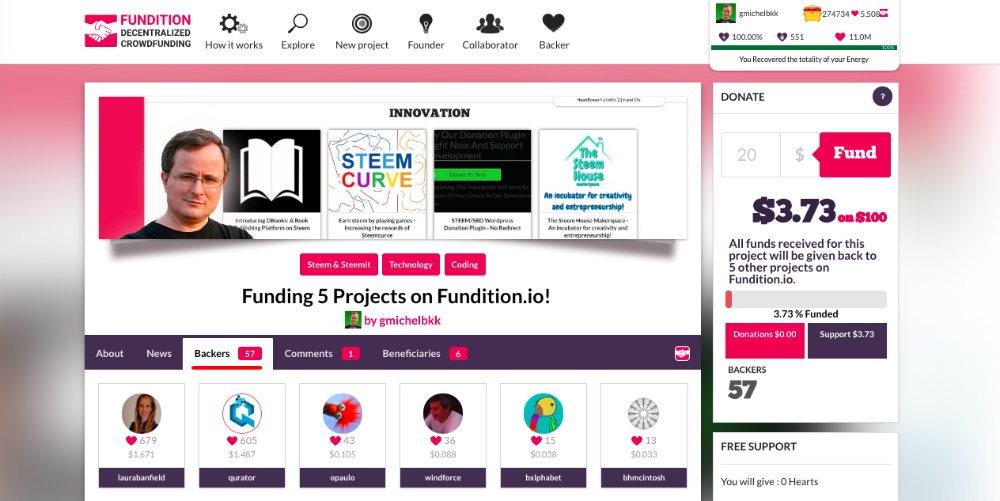 The next tab is for *"Comments"* that have been made on [*Fundition.io*](https://fundition.io/) or on *Steemit.* 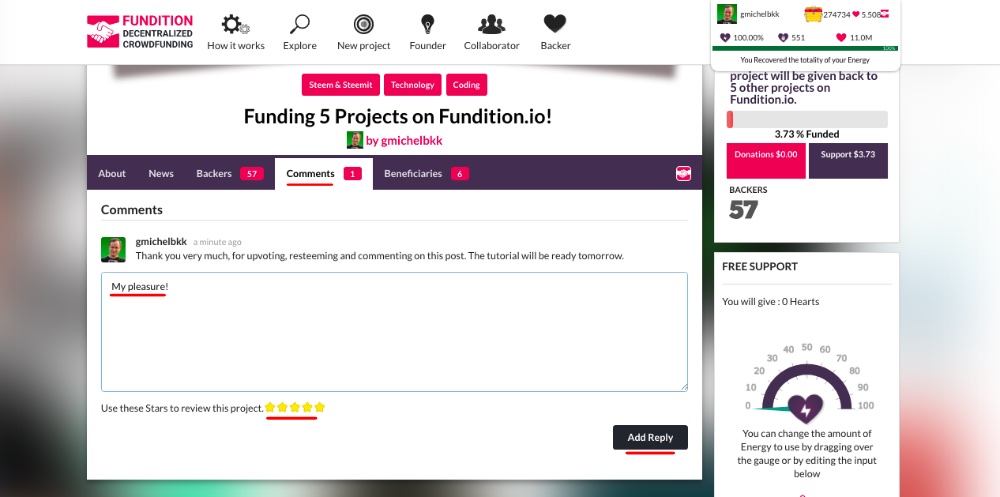 Users can reply to comments on *Fundition.io* and give a rating. The same comments will show on *Fundition.io* and *Steemit.* 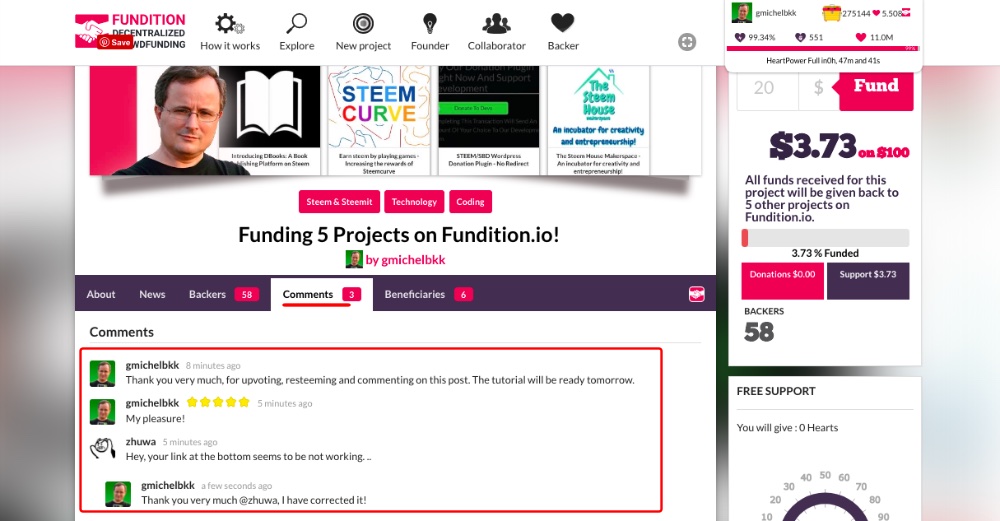 On the last tab, you can see the *"Beneficiaries."* Remember that I set up *5* beneficiaries at *20%* and the sixth one is for *@fundition* with *0%,* which shows by default in this section. 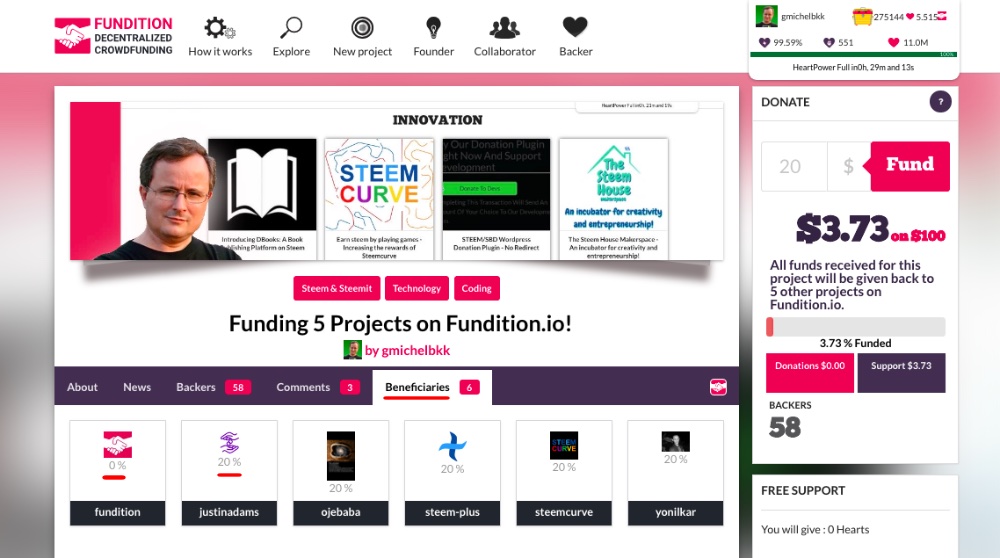 That's all for the *5* tabs you have in your project. ### Donations or Support? Now you may want to know where the money came from, donations or upvotes? At the right, the *"Donate"* widget shows an amount for *"Donations"* and *"Support."* *"Support"* is what you got with upvotes and it's how I got the *$3.71.* This project got nothing in donations yet. 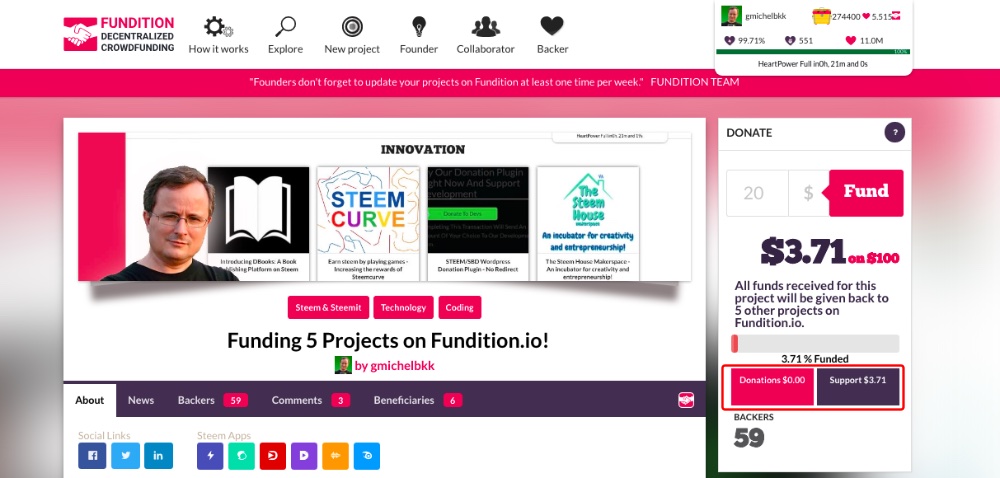 ### Update! The project got its first donation of *$43.229,* which is *20 STEEM,* thanks to *@jerrybanfield.* 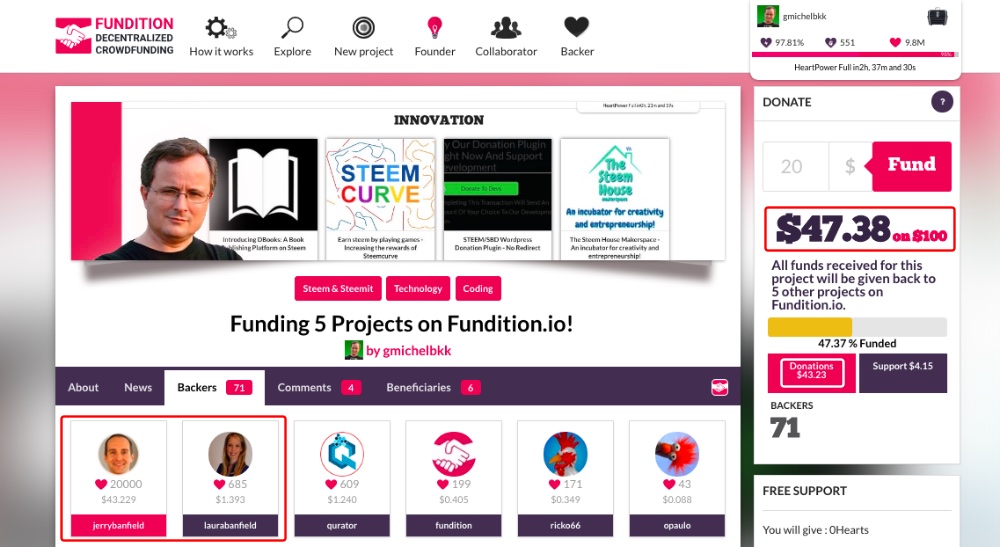 Users making donations will show in pink under the *"Backers"* tab, while those supporting with votes show in purple. Even though I set up *5 beneficiaries,* I received the whole donation into my wallet. Maybe the beneficiaries only receive a share of the *Steem* rewards. 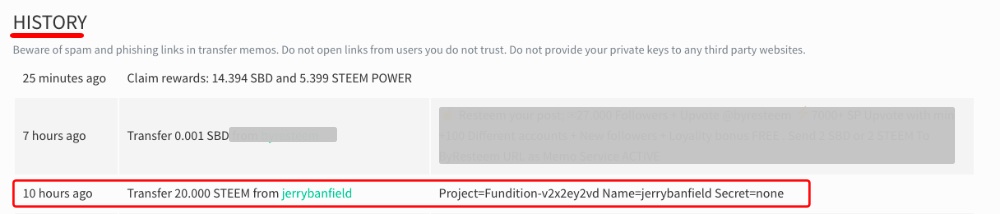 I have redistributed these *20 STEEM* between the five projects. 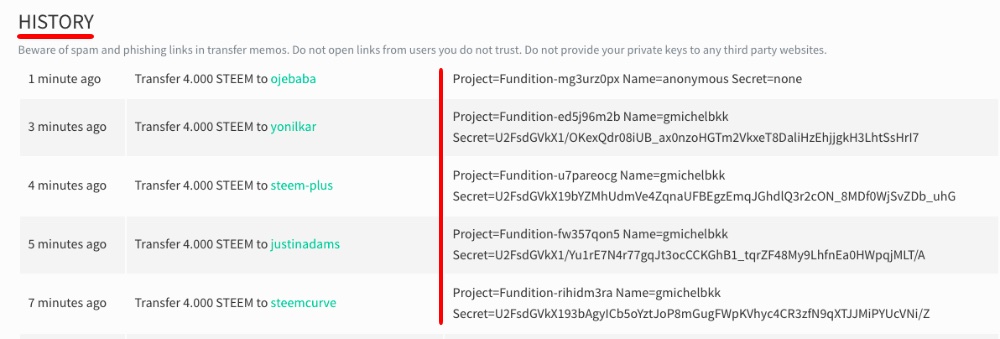 Just by giving this *Steem* back to those *5 projects* I made it third in the *[HeartLeaderBoard](https://fundition.io/#!/leaderboard).* 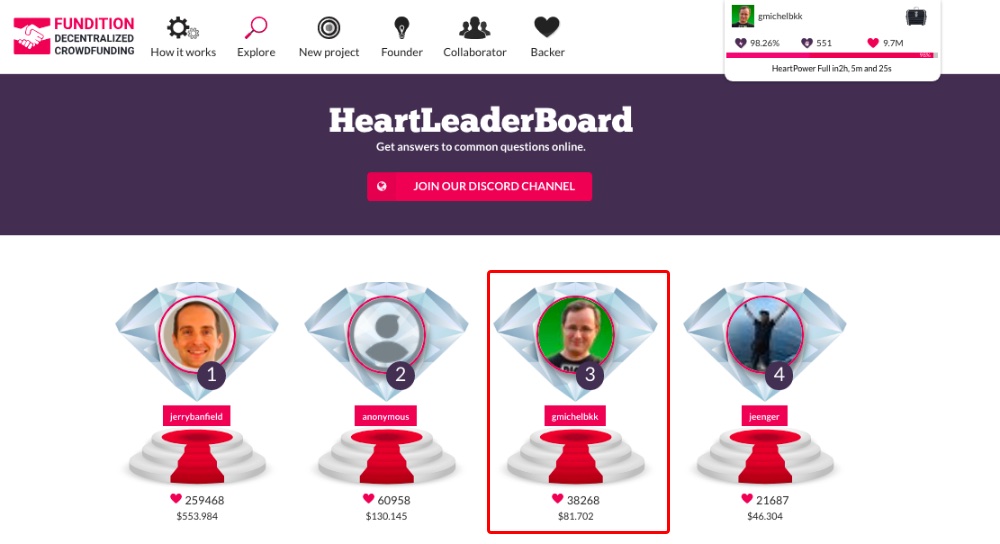 I challenge you to make the *Top Ten* in that leader board! This concludes my tutorial on how to create projects on *Fundition.io* and receive donations, and I hope this is useful for you. I encourage you to try it, if funding your own project is what you are looking for. Would you upvote this post and follow me for more because this will encourage me to write more *Steem* tool posts like this one? Would you please help _[@jerrybanfield](https://steemit.com/@jerrybanfield)_ become a top _10 Witness_ because you can help funding projects to build _Steem_ [as explained here](https://steemit.com/budget/@jerrybanfield/introducing-steem-budget-proposals)? [Vote for _jerrybanfield_ as a witness](https://steemconnect.com/sign/account-witness-vote?witness=jerrybanfield&approve=1) or [set _jerrybanfield_ as a proxy](https://steemconnect.com/sign/account-witness-proxy?proxy=jerrybanfield&approve=1) to handle all witness votes at [https://steemit.com/~witnesses](https://steemit.com/~witnesses). Read the _[5 reasons why I'm voting for Jerry Banfield as a witness](https://steemit.com/witness/@gmichelbkk/5-reasons-why-i-m-voting-for-jerry-banfield-as-a-witness)_ and how to vote in my post. You may be interested to read: *[What is a Steem Witness, How to Vote and Why?](https://steemit.com/steemit/@gmichelbkk/what-is-a-steem-witness-how-to-vote-and-why)* **Michel Gerard** [www.michelgerardonline.com](http://www.michelgerardonline.com/)
👍 awesome-gadgets, seb3364, superpromoter, kadaevrenat, fundition, pommer, digiccydigger, kryptokt, joannereid, mistermercury, rudnicki, qurator, gregory-f, naquoya, yadamaniart, scrooger, onethousandwords, soloinfinity, iptrucs, itsben, qberryfarms, bhmcintosh, skycae, vaderiffic, empowermite, laurabanfield, sbi5, wisewoof, theleapingkoala, silvergoldbotty, bxlphabet, fitinfun, upme, rebe.torres12, craigahamilton, postpromoter, ntowl, sensation, malay11, abradjan, lynncoyle1, appreciator, styleyfrancky, jayna, fishyculture, prudent-rod1, anarchojeweler, nwjordan, redheadpei, happydolphin, zhuwa, burakakdogan, imaginalex, boity, abrockman, jo3potato, vintageverve, steem-star, theob, parwisnst, nigerian-yogagal, xmrking, fregonzalez, cryptocat, nounou, captaintj, pacolimited, beccadeals, percyhamburg, etka, funnyfaces, soufianezelmimi, theb0red1, robertchr, emmasumner, fortunex, jerrybanfield, benytg, gungho, ythehuy, tanveerali, queencersei, imran-aslam, cogitoergosum1, fabien, edprivat, trustyourgut, lionmom, pingilisoumith98, dali.soh, video24x, makinstuff,