Vessel Steem Blockchain Wallet Walkthrough
steem·@gray00·
0.000 HBDVessel Steem Blockchain Wallet Walkthrough
Having an easy to use wallet is essential for daily users of cryptocurrency blockchains. Many users of the Steem cryptocurrency use Steemit.com as their wallet. But it has some downsides with security. Steemit Inc takes security concerns very seriously. Still, with using a web browser attacks have happened at times to unknowing users. An example of this is what had happened to people months back with [Myetherdelta's](https://news.bitcoin.com/one-week-etherdelta-hack-funds-still-stolen/) hack. <center></center> Using a wallet that encrypts your private key is very important in my opinion. So I'd like to showcase why I use the Vessel wallet for Steem. For one, It's packed full of some critical features including, feeless transactions, witness voting, and delegation. ### Delegation Delegation is one important part of many Steemian's experiences. You can delegate with the Vesel wallet easily. Simply select "SP Delegation" under the "Accounts" tab. And click the green plus to delegate out Steempower to another account. 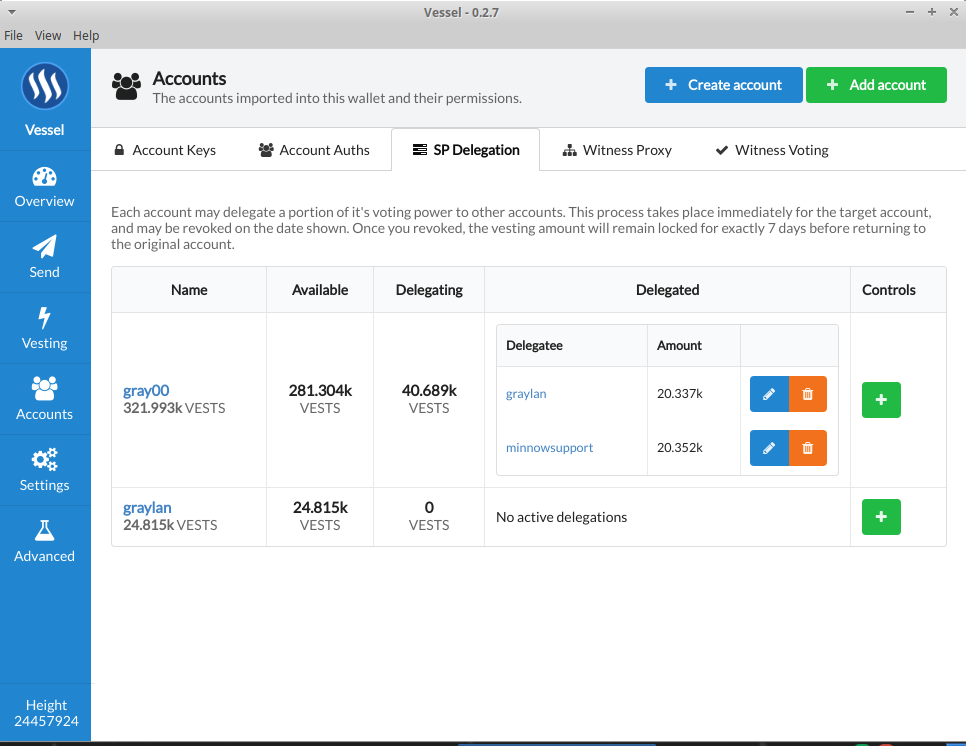 ### Witness Voting Voting for the people who run the Steem blockchain is critical to the health and security of our network. If a majority of the top twenty run the malicious code, it can harm user experience and possibly allow the dreaded double spend attack. Voting for witnesses you trust with your money is essential to keep the network secure. You can find this option by selection "Accounts" Then select "Witness Voting." 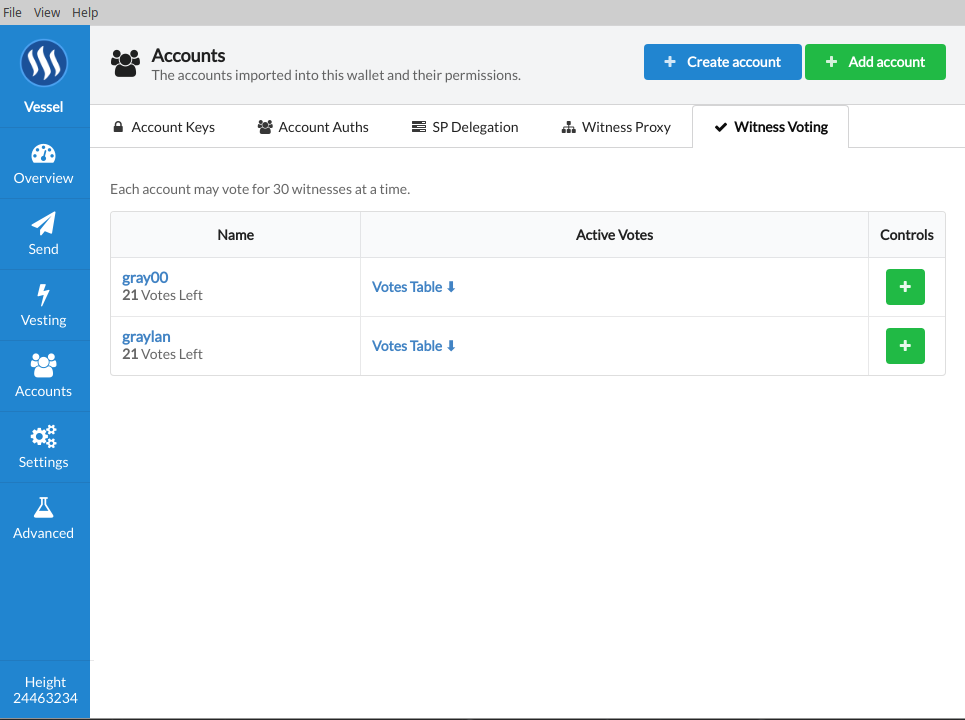 ### Vesting Withdrawals Powering down is a way to convert your Steempower into liquid Steem. 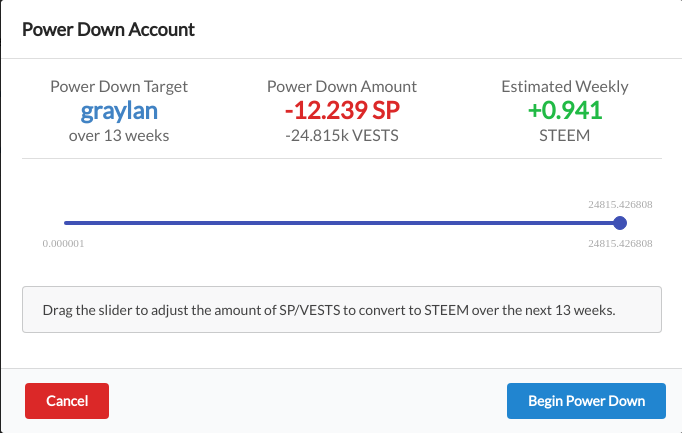 ### Send SBD/Steem To An Account One of the best parts about Steem is the feeless global ecosystem. Helping to enable economies that would otherwise not be possible. 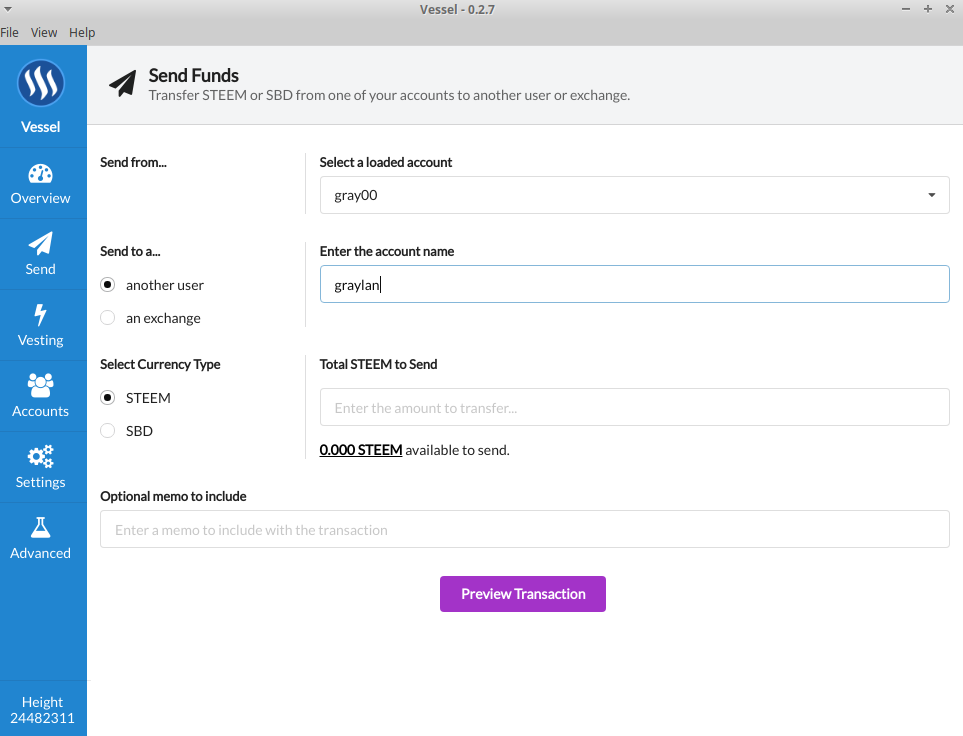 # How to install #### Windows Download from [Github](https://github.com/aaroncox/vessel/releases/download/v0.2.7/vessel-setup-0.2.7.exe). Run the .exe. #### Mac Download from [Github](https://github.com/aaroncox/vessel/releases/download/v0.2.7/Vessel-0.2.7.dmg). Run the .dmg. #### Ubuntu Linux Execute these commands in terminal. > wget https://github.com/aaroncox/vessel/releases/download/v0.2.7/vessel_0.2.7_amd64.deb > > sudo dpkg -i vessel_0.2.7_amd64.deb > > sudo apt-get install -f