How to set up your GXS mobile wallet (iOS)
bitcoin·@gxshares·
0.000 HBDHow to set up your GXS mobile wallet (iOS)
Open App Store, type GXS and search. Alternatively you can use this link. https://itunes.apple.com/us/app/gxs-wallet/id1318213142?mt=8 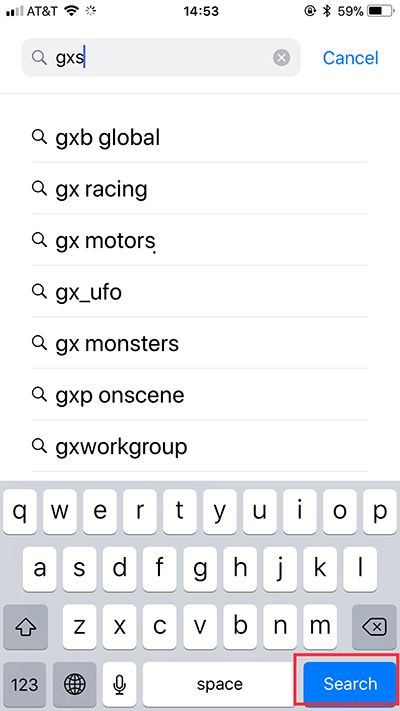 Then GXS Wallet will come out, download. Open the wallet app, it may takes a moment to load the wallet. "Create Wallet", read the disclaimer, then hit "I have read and accept" to continue. 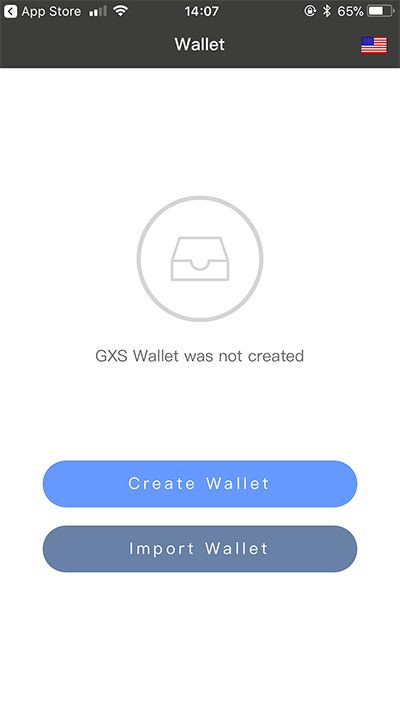 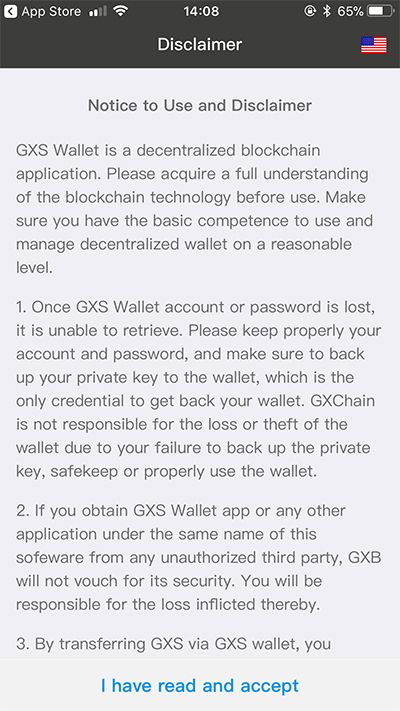 Type your account name, which will be used as your **receiving address(Public Key)**, then hit "next". 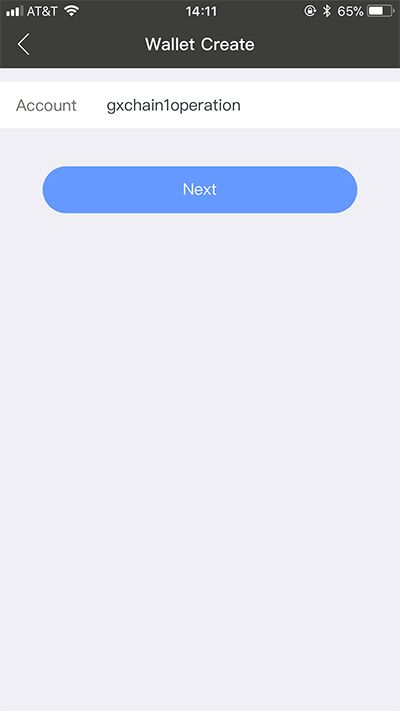 Set your password, then hit “Done". 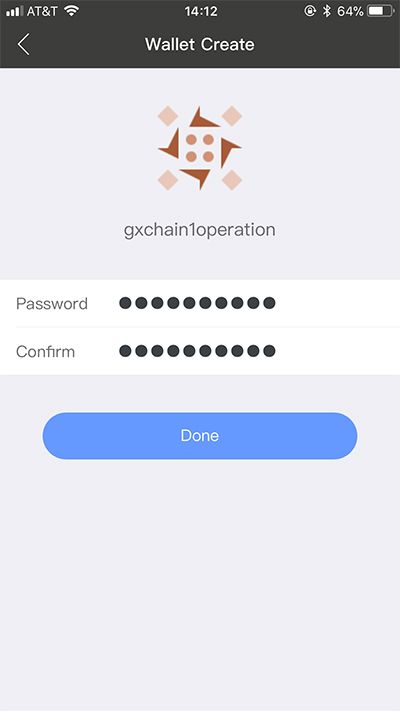 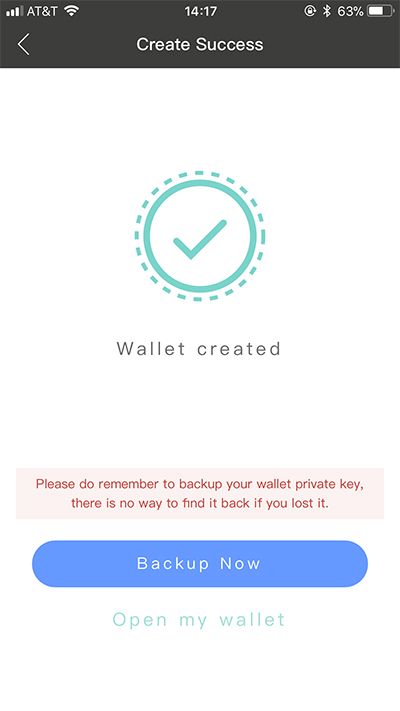 <h2>Next, Back up your private key!, hit "Backup Now".</h2> 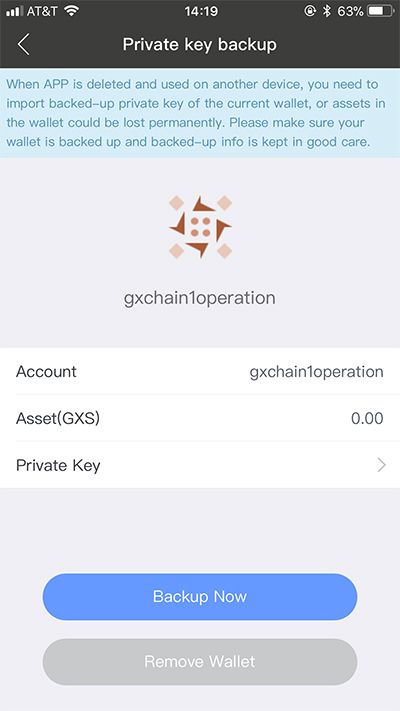 Unlock your wallet with the password, your private key will show up. Copy and paste it elsewhere, we recommend you print it out and protect it safely. 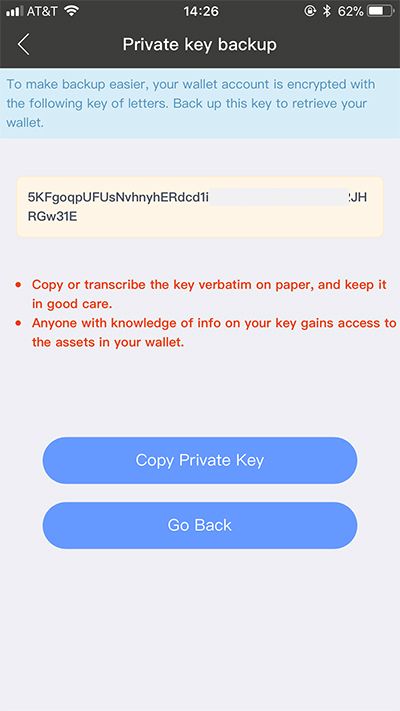 After you back up your private key, return to the wallet, hit "Go Back". Then your wallet is ready to use! Enjoy **instant** transaction.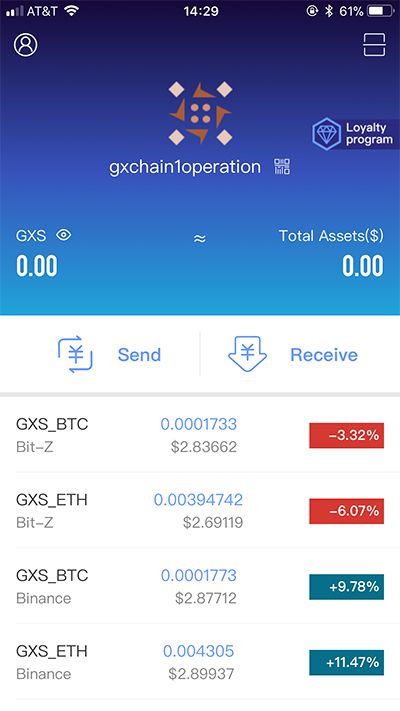 <h3>Team of GXChain</h3> Website: [gxs.gxb.io/en/](https://gxs.gxb.io/en/) GXChain forum: [forum.gxb.io](https://forum.gxb.io/) Twitter: [twitter.com/gongxinbao](https://twitter.com/gongxinbao) Telegram: [t.me/GXB_International](https://t.me/GXB_International) Steemit: [steemit.com/@gxshares](https://steemit.com/@gxshares) Slack: [gxshares.herokuapp.com](https://gxshares.herokuapp.com/) Github: [github.com/gxchain/](https://github.com/gxchain/) GXB Block Explorer: [block.gxb.io/#/](https://block.gxb.io/#/) Weibo: [weibo.com/gongxinbao](http://weibo.com/gongxinbao) 8BTC: [8btc.com/gxb](http://8btc.com/gxb) GXS trading platforms https://steemit.com/bitcoin/@gxshares/gxs-trading-platforms