Create Beautiful Material Splash Screen
utopian-io·@iampawan·
0.000 HBDCreate Beautiful Material Splash Screen
# Github Repository:
* https://github.com/flutter/flutter
# What Will I Learn?
* You learn flutter
* You learn how to make a splash screen in flutter with a timer
* You learn Dart 2
# Requirements
## System Requirements:
* [IDEA intellij](https://www.jetbrains.com/idea/), [Visual Studio Code](https://code.visualstudio.com) with the Dart/[Flutter Plugins](https://github.com/flutter/flutter-intellij), [Android Studio](https://developer.android.com/studio/) or Xcode
* The [Flutter SDK](https://flutter.io/get-started/install/) on the latest Master Build
* An Android or iOS Emulator or device for testing
# OS Support for Flutter:
* Windows 7 SP1 or later (64-bit)
* mac OS (64-bit)
* Linux (64-bit)
# Required Knowledge
* A little understanding of key/value stores
* A fair understanding of Mobile development and Imperative or Object Oriented Programming
* Some understanding of real time databases
# Resources for Flutter and this Project:
* Flutter Website: https://flutter.io/
* Flutter Official Documentation: https://flutter.io/docs/
* Flutter Installation Information: https://flutter.io/get-started/install/
* Flutter GitHub repository: https://github.com/flutter/flutter
* Flutter Dart 2 Preview Information: https://github.com/flutter/flutter/wiki/Trying-the-preview-of-Dart-2-in-Flutter
* Flutter Technical Overview: https://flutter.io/technical-overview/
* Dart Website: https://www.dartlang.org/
# Difficulty
* Basic
# What is Flutter?
[Flutter]( https://flutter.io) is a brand new mobile app SDK made by Google. It is meant to help developers and designers build modern apps for Android and IOS.
Flutter has one of the simplest and effortless establishment forms. You basically clone the GitHub repo and keep running there Flutter Doctor apparatus, it is a breeze. For more data on the most proficient method to introduce Flutter for your framework see: https://flutter.io/setup/
# All code for this tutorial
* https://github.com/iampawan/FlutKart?files=1
# Description
# What is a splash screen?
“A splash screen is a graphical control element consisting of a window containing an image, a logo and the current version of the software. A splash screen usually appears while a game or program is launching.” — [ Wikipedia](https://en.m.wikipedia.org/wiki/Splash_screen)
# What is the purpose of a splash screen?
“Splash screens are typically used by particularly large applications to notify the user that the program is in the process of loading. They provide feedback that a lengthy process is underway.” — [Wikipedia](https://en.m.wikipedia.org/wiki/Splash_screen)
# Why I am doing this?
Android applications do set aside some measure of opportunity to fire up, particularly on a chilly begin. There is a deferral there that you will most likely be unable to maintain a strategic distance from. Rather than leaving a clear screen amid this time, for what reason not demonstrate the client something pleasant? This is the approach Google is upholding. Try not to squander the client's chance, yet don't demonstrate to them a clear, unconfigured segment of the application the first occasion when they dispatch it, either.
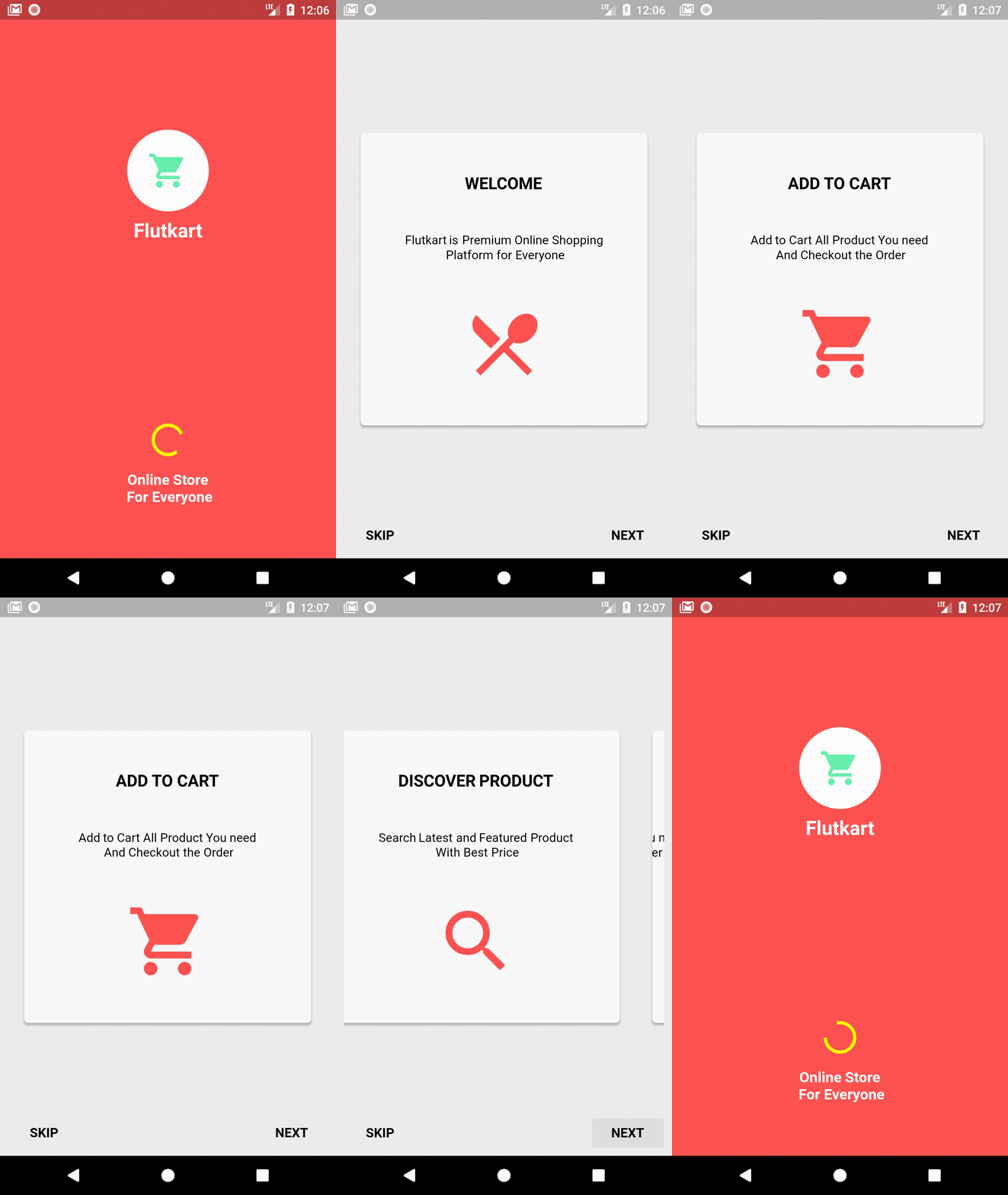
In the event that you take a gander at late updates to Google applications, you'll see suitable employments of the sprinkle screen. Investigate the Flutkart application, for instance.

The measure of time you spend taking a gander at this sprinkle screen is precisely the measure of time it takes the application to design itself. This is on an icy dispatch which implies this is the slowest dispatch conceivable. In the event that the application is reserved, the sprinkle screen will leave very quickly.
# Tutorial Content
## Actualizing a Splash Screen
Actualizing a splash screen the correct way is somewhat not quite the same as you may envision. The splash view that you see must be prepared quickly, even before you can swell a format record in your splash action.
# Import image
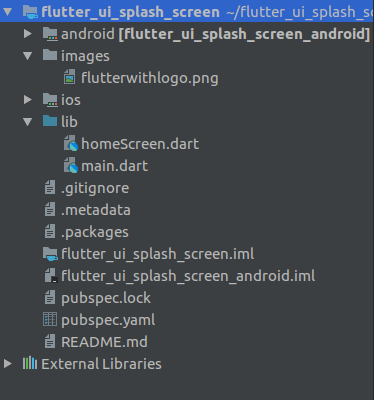
We need to import the image files into the project. It is common practice to put image files in a images or assets folder at the root of a Flutter project.
# Drawable Background
So you won't utilize a design record. Rather, indicate your sprinkle screen's experience as the action's subject foundation. To do this, first make a XML drawable in res/drawable.
<?xml version="1.0" encoding="utf-8"?>
<!-- Modify this file to customize your launch
splash screen -->
<layer-list
xmlns:android="http://schemas.android.com
pk/res/android">
<item
android:drawable="@android:color/white" />
<!-- You can insert your own image assets here -->
<!-- <item>
<bitmap
android:gravity="center"
android:src="@mipmap/launch_image"
/>
</item> -->
</layer-list>
[Code Source](https://github.com/iampawan/FlutKart/blob/master/android/app/src/main/res/drawable/launch_background.xml)
Here, I've set up a foundation shading and a picture.
Next, you will set this as your splash action's experience in the topic. Explore to your styles.xml record and include another subject for your splash action:
<resources>
<style
name="LaunchTheme"parent="
@android:style/Theme.Black.NoTitleB
ar">
<!-- Show a splash screen on the activity.
Automatically removed when
Flutter draws its first frame -->
<itemname="android:windowBackground">
@drawa
ble/launch_background</item>
</style>
</resources>
[Code Source](https://github.com/iampawan/FlutKart/blob/master/android/app/src/main/res/values/styles.xml)
# Splash Theme
In your new SplashTheme, set the window foundation ascribe to your XML drawable. Arrange this as your sprinkle action's subject in your AndroidManifest.xml:
<activity
android:name=".MainActivity"
android:launchMode="singleTop"
android:theme="@style/LaunchTheme"
android:configChanges="orientation|
keyboardHidden|keyboard|screenSize|
locale|layoutDirection|fontScale|
screenLayout|density"
android:hardwareAccelerated="true"
android:windowSoftInputMode=
"adjustResize"
>
<!-- This keeps the window background of
the activity showing
until Flutter renders its first frame. It can
be removed if
there is no splash screen (such as the
default splash screen
defined in @style/LaunchTheme). -->
<meta-data
android:name="io.flutter.app.android.
SplashScreenUntilFirstFrame"
android:value="true" />
<intent-filter>
<action
android:name="android.intent.action.
MAIN"/>
<category
android:name="android.intent.category.
LAUNCHER"/>
</intent-filter>
</activity>
[Code Source](https://github.com/iampawan/FlutKart/blob/master/android/app/src/main/AndroidManifest.xml)
# Splash activity
At long last, your SplashActivityclass should simply forward you along to your fundamental movement:
protected void onCreate(Bundle
savedInstanceState) {
super.onCreate(savedInstanceState);
GeneratedPluginRegistrant.registerWith(this);
}
}
[Code Source](https://github.com/iampawan/FlutKart/blob/master/android/app/src/main/java/com/example/fluttertry/MainActivity.java)
Notice that you don't set up a view for this SplashActivity. The view originates from the topic. When you set up the UI for your sprinkle action in the topic, it is accessible quickly.
On the off chance that you had a format petition for your sprinkle movement, that design record would be obvious to the client simply after your application has been completely instated, which is past the point of no return. You need the sprinkle to be shown just in that little measure of time before the application is instated.
# Doing it Right
With these means finished, you will have a splash screen actualized the correct way:
Equipped with this information, influence your sprinkle to screen work the correct way. Try not to squander the client's chance, however give them something pleasant to take a gander at while they pause.
# Summary
In this tutorial I explained how to make a splash screen in flutter with a timer.
# Work of proof done
* https://github.com/iampawan/FlutKart
# Curriculum
* [Build Cryptocurrency App From Scratch](https://steemit.com/utopian-io/@iampawan/build-cryptocurrency-app-from-scratch)