Piper | Lires Artwork Process | Original Art | Coloring Grayscale with Gradient Map Tutorial
art·@lires·
0.000 HBDPiper | Lires Artwork Process | Original Art | Coloring Grayscale with Gradient Map Tutorial
 Hey you guys! Back with another tutorial. This time, we're going to render in B&W then color our artwork using **Gradient Map** in Photoshop. Before I begin, I would just like to suggest that you vote for @curie for witness here https://steemit.com/~witnesses. @curie has helped a lot of artist who's just starting here on steemit, just like me. And also check out @smartsteem! I think they're onto something amazing for quality-post steemers! ## Sketching The original idea I had was a police woman. Gangster girls are more bad-ass! 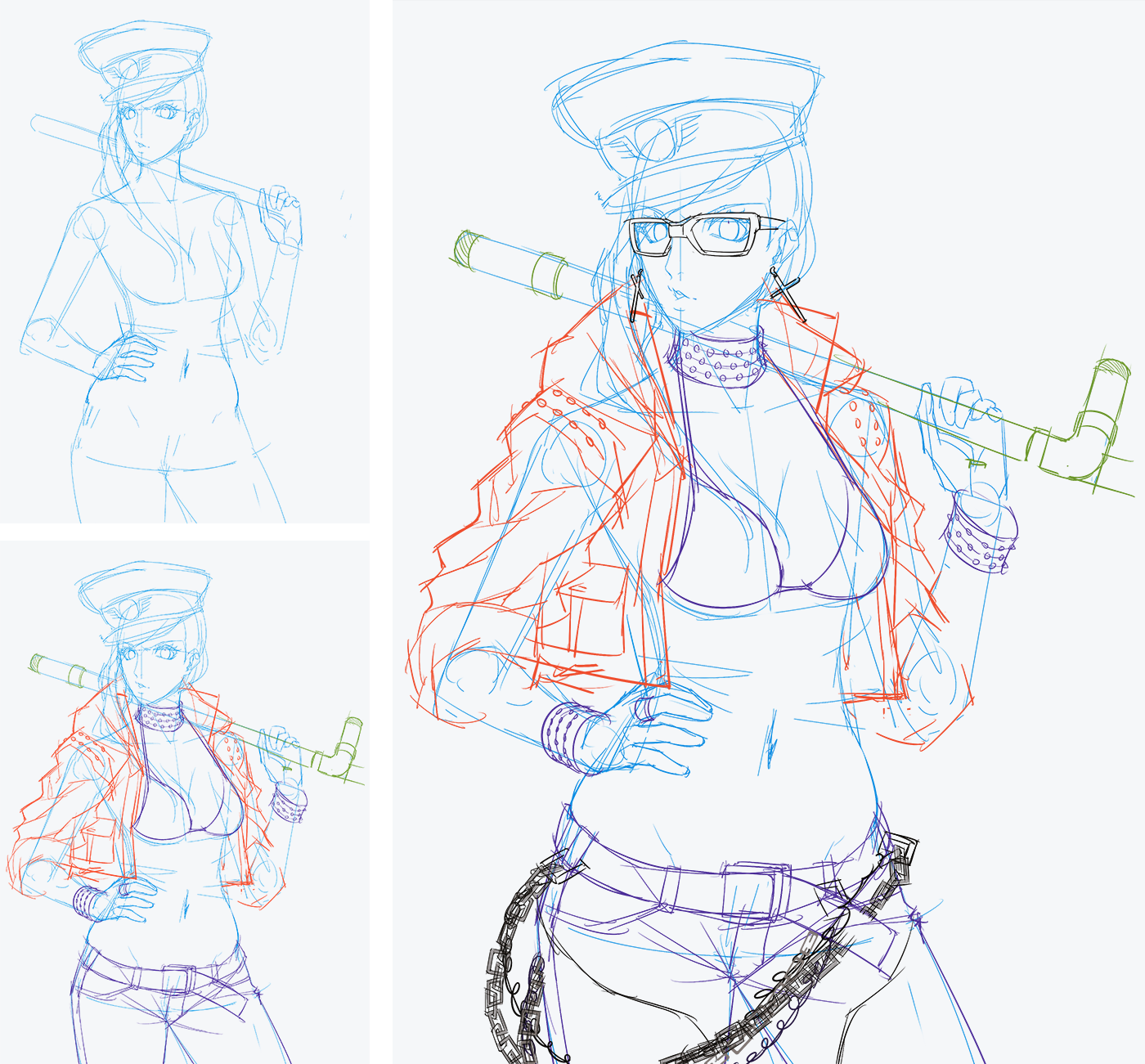 ## Inking I will never ink chains and studs ever again. Ever. 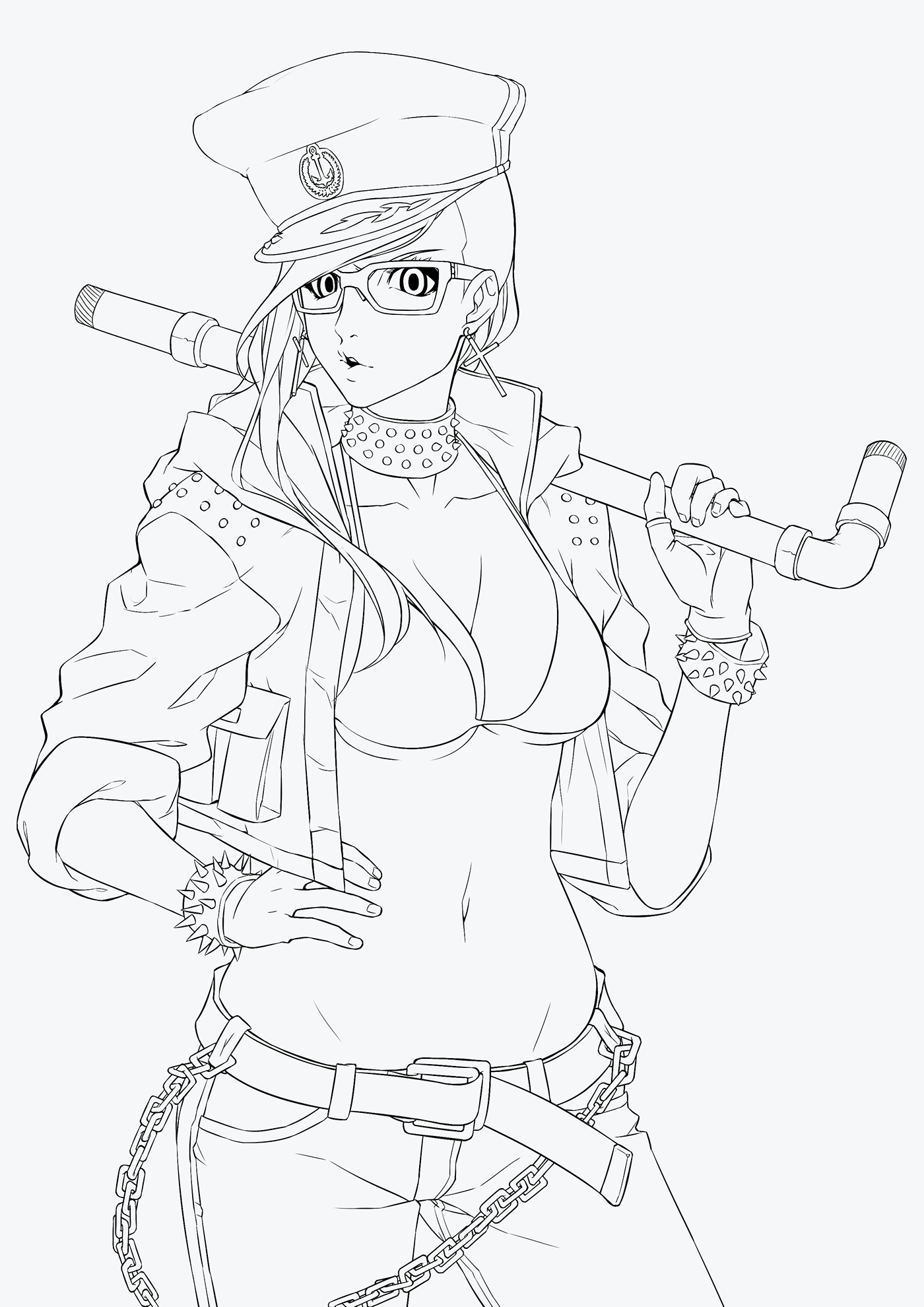 ## Rendering in B/W Since I won't be making flats, I'll render this one in whole. Starting with the **Mid-tone**, adding **Highlights** then **Darker Shadows**. 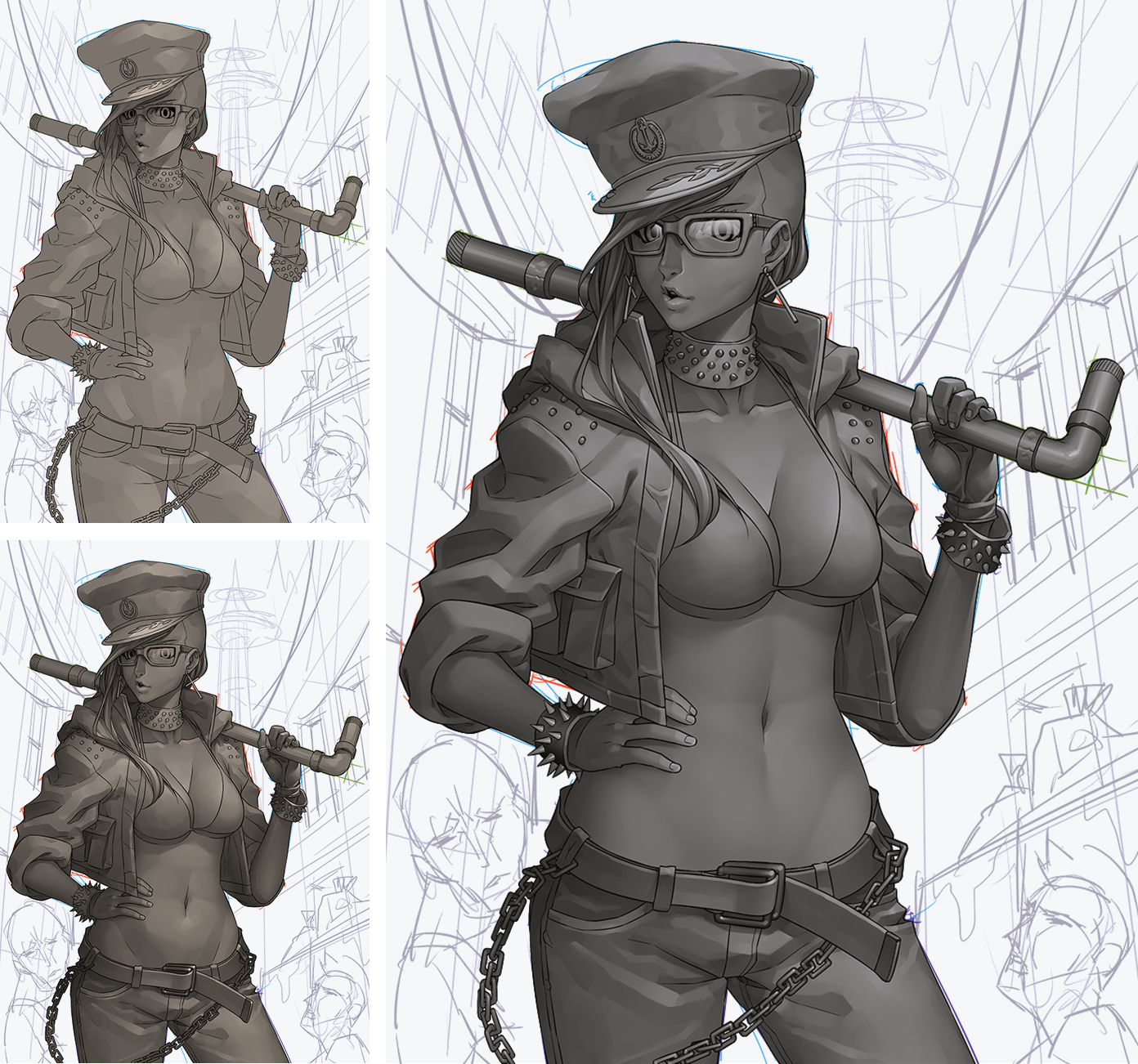 ## Applying Gradient Map After I render her completely, I separate the parts with same colors to different layers. And I go to PS to apply the gradient map. 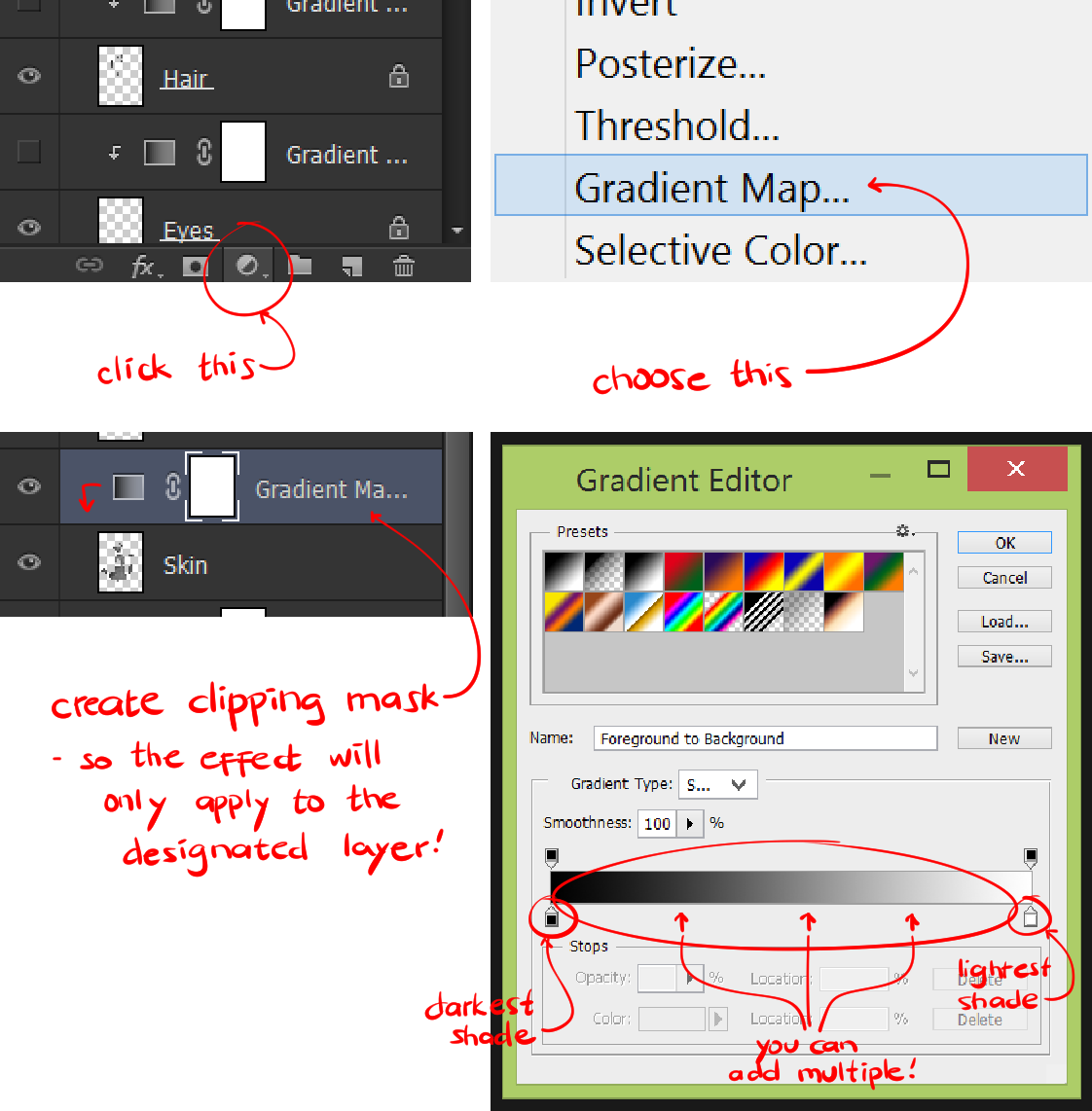 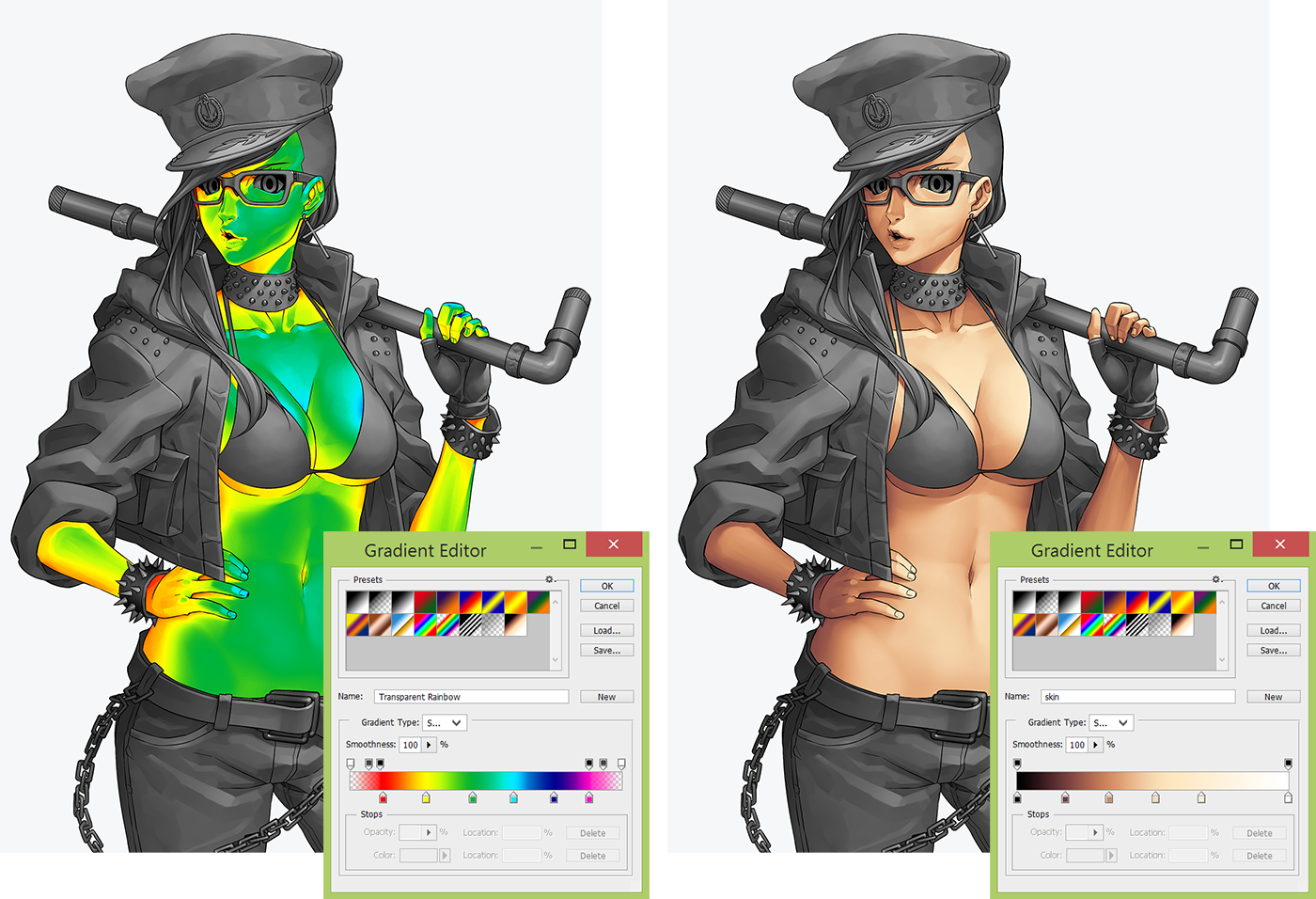 >As you can see by choosing some of the presets, you can get a glimpse or an idea of how Gradient Map will have an effect to your artwork. The second one though, is not a preset. I made dis. >  >This is how it looks like after I've applied Gradient Map to every part of her. > ## Background I've also rendered the BG in B&W and also applied Gradient Map. 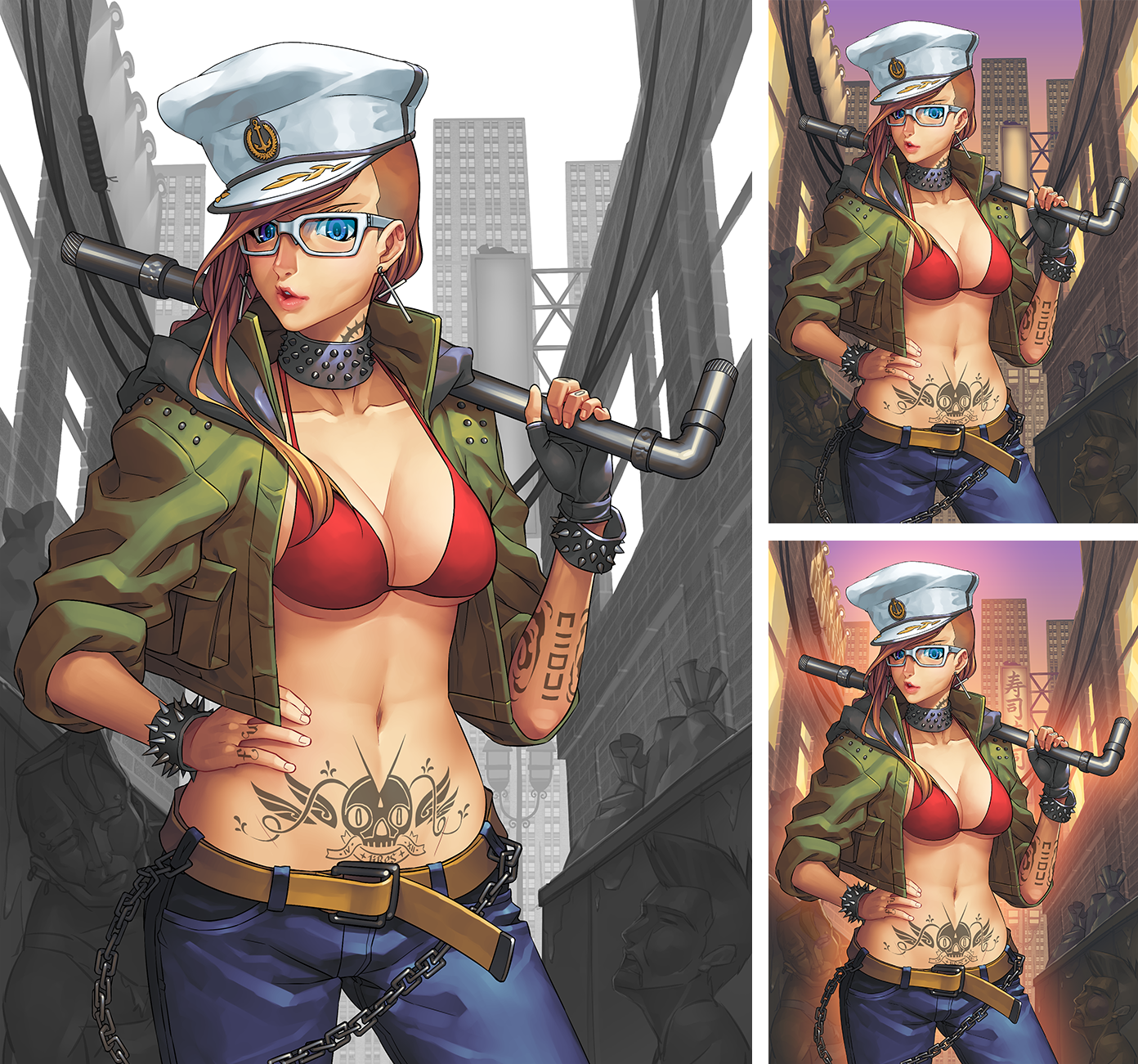 ## Finishing Touches Added textures, back-light, and lens flare!  ## Final Product Done!  I hope you found this art process useful. I'll try to post more tutorials. ^-^ Bye for now! -lires
👍 lires, fabiyamada, corinneiskorean, dailyjoke, holywater, spottyproduction, bryan-imhoff, lordkingpotato, pilip, ferjart, miyabi, tsokoletmint, chainsaw-clausen, visterhook, smartsteem, artbunny, jamesartville, jmvaron0, bl23c, steem-comic-con, w0olf, wilku, appreciator, liverehab, inarix03, steemypete, swagger, rahul.stan, nate-atkins, nepd, carterx7, camendes70, makerhacks, retro-room, poweredbyweb, daydreams4rock, zyl, alexpmorris, michellectv, motoengineer, sirvotesalot, the.bot, drmake, preparedwombat, the.collector, hottestvids, completelyanon, themarkymark, musicnews, jacknbeanstalk, themassacre, neander-squirrel, hotvideos, kalemandra, funtraveller, buildawhale, outwalking, adrboom, alannapendragon, preface, giuato, sasuworld,