Steem Engine - Basics
utopian-io·@lonelywolf·
0.000 HBDSteem Engine - Basics

---
#### Repository:
https://github.com/harpagon210/sscjs
### What Will I Learn?
- You will learn how to interact with SSC
- You will learn how to get a user information
### Requirements
- Node.JS
- SSCJS (Steem Engine JS)
### Difficulty
- Basic
### Curriculum
- [SteemJS #1](https://steemit.com/utopian-io/@lonelywolf/steem-js-tutorials-1-basics-validating-wif-key)
- [NodeJS #1](https://steemit.com/utopian-io/@lonelywolf/nodejs-tutorials-1-creating-a-static-site-node-js)
### The Tutorial
Hello guys, today we will learn the basics of SSC.
### Creating The Project
first, create a new project
```
npm init
```
I'm using the main script as `app.js`.
now just press enter until it's done,
now you can install the packages and the SSC package
```
npm i sscjs --save
```

because I already updated the packages I don't have any to install.
Great!
### Importing SSC to NodeJS
first, create your script `app.js` or whatever name you chose.

Good, now we need to import ssc and use it with the API.
```
let SSC = require('sscjs');
const ssc = new SSC('https://api.steem-engine.com/rpc');
```
cool, now to test that it's working fine
```
ssc.stream((err, res) => {
console.log(err, res);
});
```
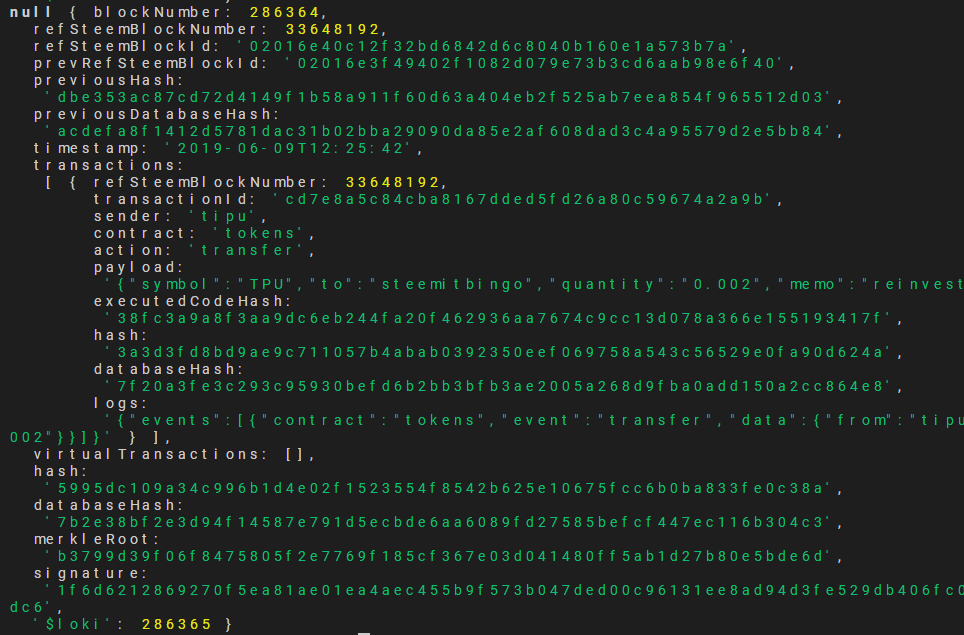
so we're getting a lot of blockchain data, currently, we'll not use it but as you can see it's working perfectly!
### Getting User Information
so the sscjs is working just like a database, you need to search it by queries, so we will search my account,
we're searching for the tokens, the balances with the account name of @lonelywolf (me)
```
ssc.find(
'tokens',
'balances',
{account:"lonelywolf" },
1000,
0,
[],
(err, result) => {
console.log(result);
}
);
```
great, now run the script and we will see that we will get a JSON objects for every token!
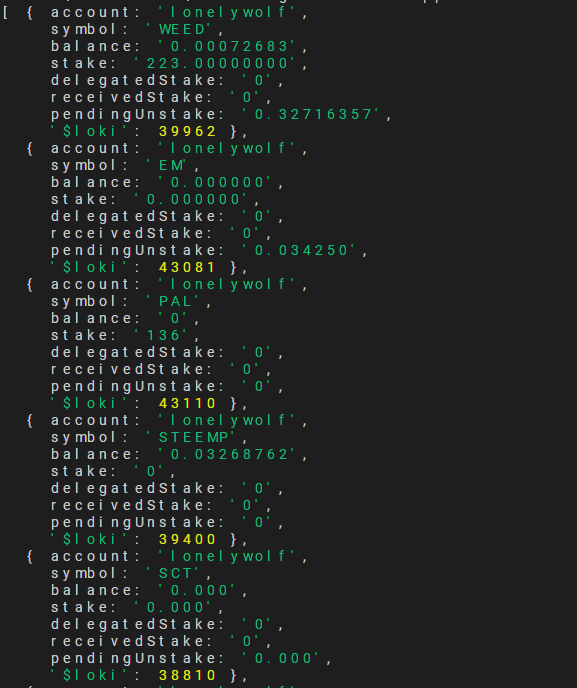
so, for example, we can use it to get the voting power on WEED platform such as @blockchainstudio do at https://economicstudio.github.io/vp/?a=lonelywolf&t=WEED
so for this, we need to get just WEED, how we do it?
we're doing the same just after account we're taking the symbol name which is the token name (WEED)
```
ssc.find(
'tokens',
'balances',
{account:"lonelywolf", symbol: "WEED" },
1000,
0,
[],
(err, result) => {
console.log(result);
}
);
```
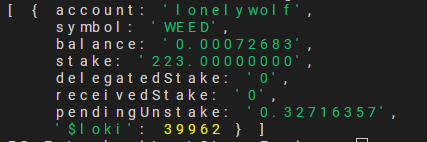
now all we will get is the WEED object!
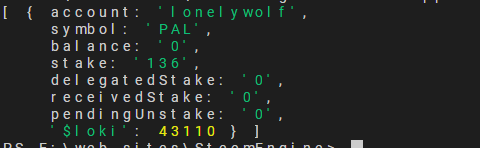
we can do the same for PAL, etc.
Great, here we're done with the basic tutorial, stay tuned for the next tutorial, I'm sure you will learn new things ;)
### Proof of Work Done
https://github.com/upmeboost-utopian
### Have a great day!👍 eforucom, phage93, armpcm, espoem, mightypanda, mops2e, bluesniper, primeradue, portugalcoin, amosbastian, rufans, helo, jaff8, ulockblock, aleister, buckydurddle, jinger, javicuesta, goodcontentbot2, codingdefined, leir, mcfarhat, ityp, betterbiskuit, meedo, properfraction, dedicatedguy, notouch, bowess, steem-plus, steem-ua, newsrx, sargoon, tdre, jjay, ryuna.siege, bejust, feronio, progressing, utopian-io, tombstone, jga, cryptouno, dicetime, upmeboost, trendhk, mohamedsahbi,