Add a control panel shortcut to the Right-Click Menu in the Windows 10.
tech·@mann·
0.000 HBDAdd a control panel shortcut to the Right-Click Menu in the Windows 10.
<center></center> [Image source:](http://adsgraphy.com/wp-content/uploads/2017/08/settings1.jpg) You can open Control panel by searching ***"Control Panel"*** in the search bar, but if you want to add a shortcut to the Right-Click Menu in Windows 10, then you are at right place. Today I will show you how to add it very quickly. Let's start. 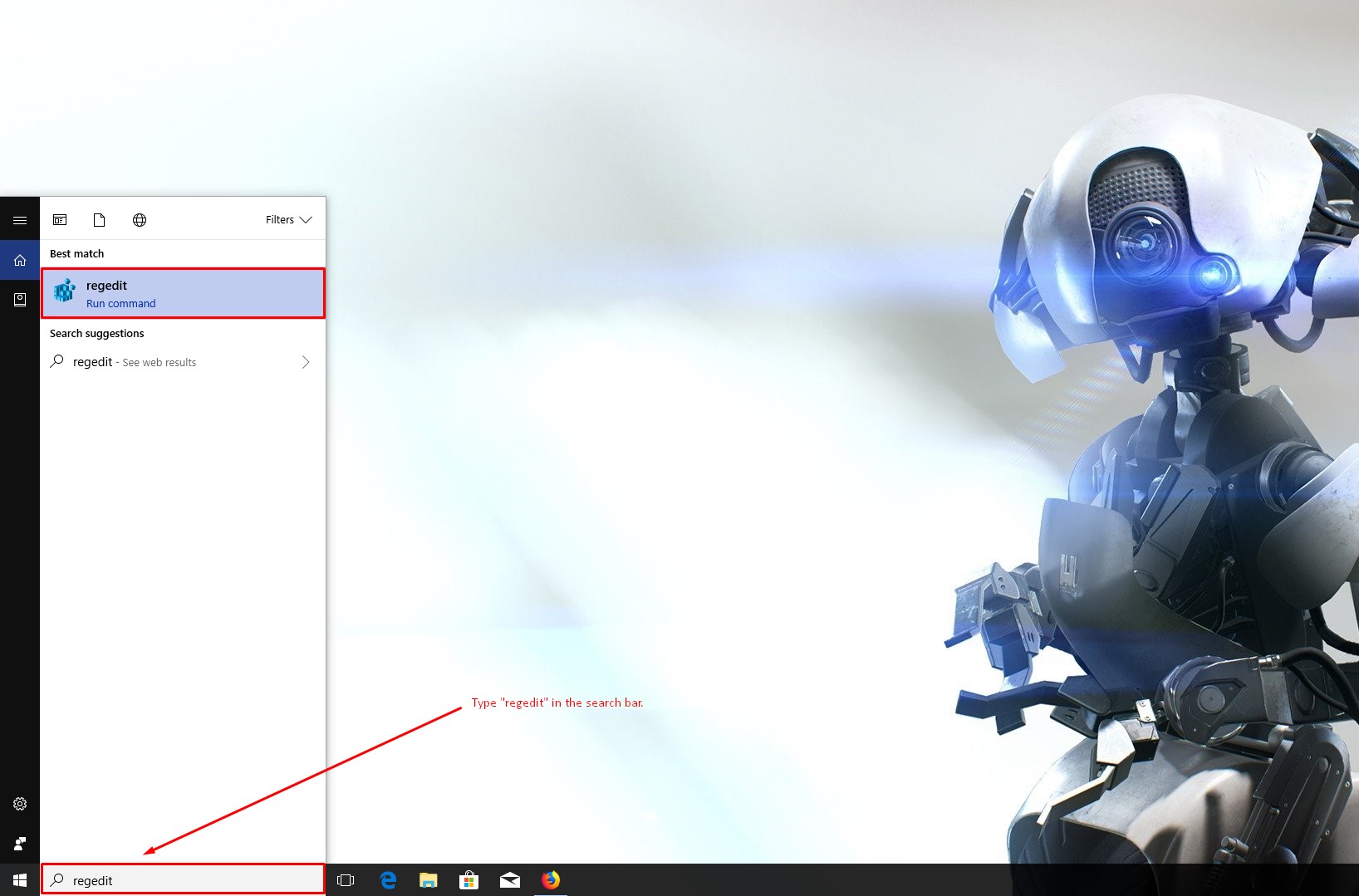 After open "regedit window" follow this location directory: >HKEY_CLASSES_ROO < Directory < Background < shell Now you have to ***right-click on the shell key and select New > Key.*** 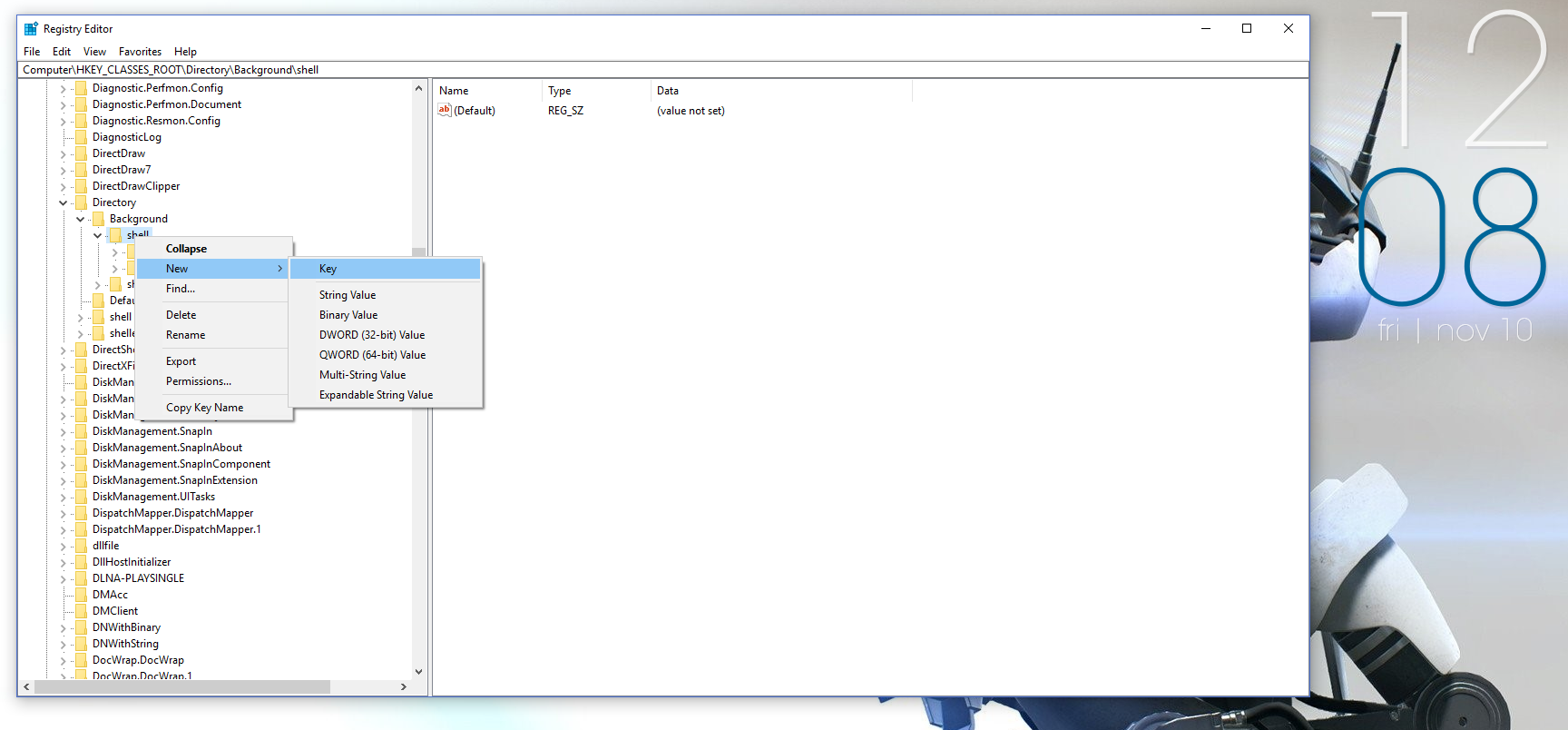 Name the key ***Control Panel.*** Now Right-Click on the Control Panel key and choose New > Key again & name the new key ***command*** as shown in the below image. 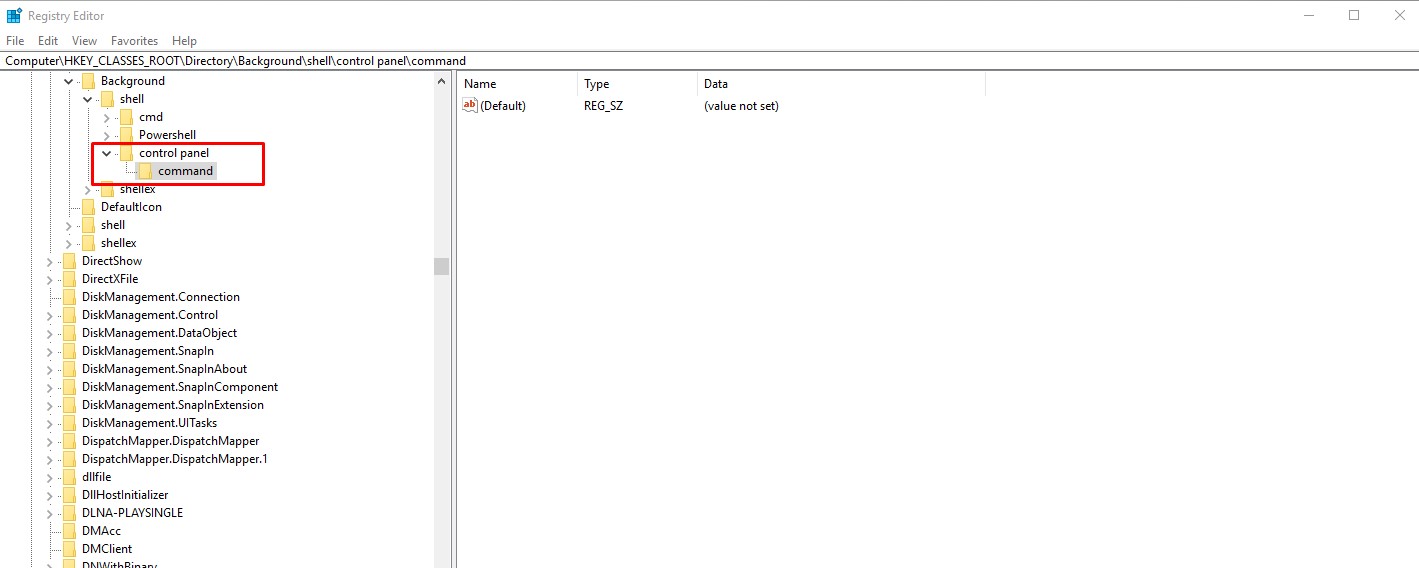 Now select command and double click on the ***Default to open the Edit String window*** and type this command: >rundll32.exe shell32.dll,Control_RunDLL 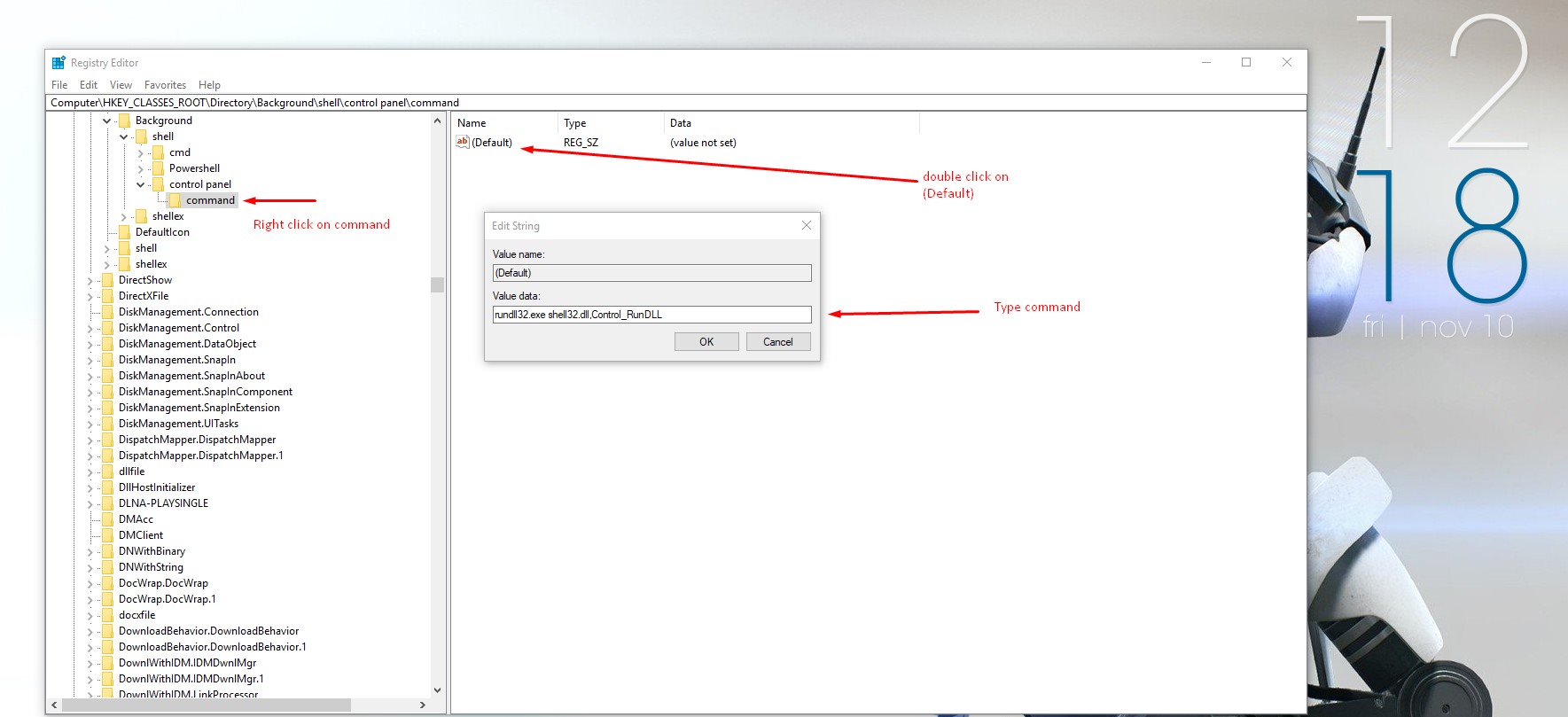 Click ***"OK"*** and now you have done it. ##### Interested in my previous blogs: * [How to taking care of your eyes when at Computer???](https://steemit.com/computer/@mann/how-to-taking-care-of-your-eyes-when-at-computer) * [Today's Top Five #10 Top 5 CPU cabinets for your Gaming pc](https://steemit.com/computer/@mann/today-s-top-five-10-top-5-cpu-cabinets-for-your-gaming-pc) * [How to #5 Change your mouse cursor speed in Windows 10.](https://steemit.com/tech/@mann/how-to-5-change-your-mouse-cursor-speed-in-windows-10) * [AMD vs. Nvidia Gpu war.](https://steemit.com/tech/@mann/amd-vs-nvidia-gpu-war) * [Today's Top Five #9 Top five Laptop brands.](https://steemit.com/tech/@mann/today-s-top-five-9-top-five-laptop-brands) --- <center>Follow us on [Discord](https://discordapp.com/invite/RxEM8e) Steemit [ADSactly](https://steemit.com/@adsactly) #### A.D.S.A.C.T.L.Y = Autonomous Decentralized Society Acting Cooperatively to Leverage You!</center>  [Source](https://ibb.co/ifmjWG) <center>http://imagehost7.online-image-editor.com/oie_upload/images/79850DNmdvp/oie_animation.gif</center> ---