🚨 If you lose your phone you lose access to your exchange, if you did not properly back-up your 2FA codes 🚨
cryptocurrency·@pandorasbox·
0.000 HBD🚨 If you lose your phone you lose access to your exchange, if you did not properly back-up your 2FA codes 🚨
<center>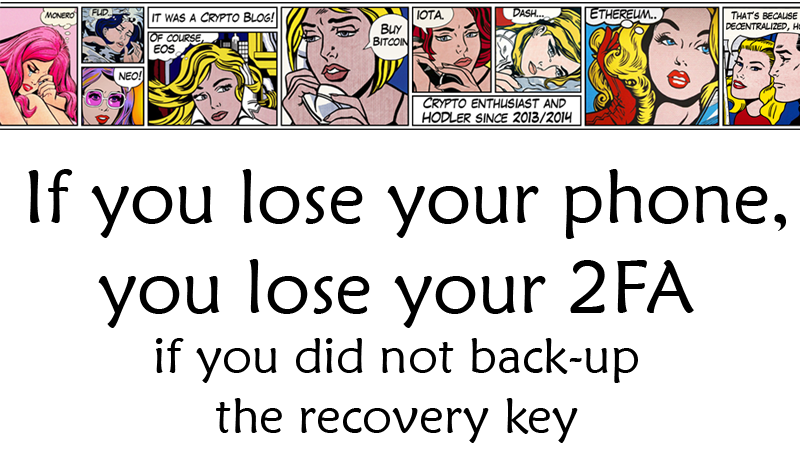</center> <h3> Did you know that if you have not backed-up your 2FA codes and lose your phone, there is _no way_ to easily recover them? If you've got funds stored on an exchange this could mean you lose access to them, as you are no longer able to log in!</h3> <center></center> <div class="pull-right"><img src="https://steemitimages.com/DQmXVS1qtv91F8Unttet6MFwVSwGWAfLg9ZD4rrDJBSC851/google-authenticator.png" /></div> <h3>GOOGLE DOES NOT SAVE YOUR 2FA CODES FOR YOU</h3> Contrary to what your intuition may tell you, the two-factor authentification (2FA) codes you use (probably through Google Authenticator) to securely log in to your favorite crypto exchanges are **not** actually tied to your Google account! Instead, they are tied to your physical phone or other mobile device. **This means that if you lose your phone, or it gets destroyed, _not even Google can help you_ fix the problem!** In order to regain access to your account without the 2FA codes you would have to fill in a customer support ticket and send in your ID to the exchange to verify your identity, and this process could take weeks if not months with how swamped exchanges are with customer support tickets! Most people don't realize this, and what they gain in two-factor security, they may lose in overall risk. Losing a phone, either by destruction or theft or simply because it stops working, is pretty common and this poses a significant risk. There is a solution though, because if you have properly backed up your 2FA codes this will allow you to enable them on a different (or the same) device later on should it ever be necessary. **The catch here is that these codes you need to back up are _only_ shown when you initially set the 2FA up**. If you did not save these codes at this point, and most people don't, then there is no way to have them resent to you now. <center>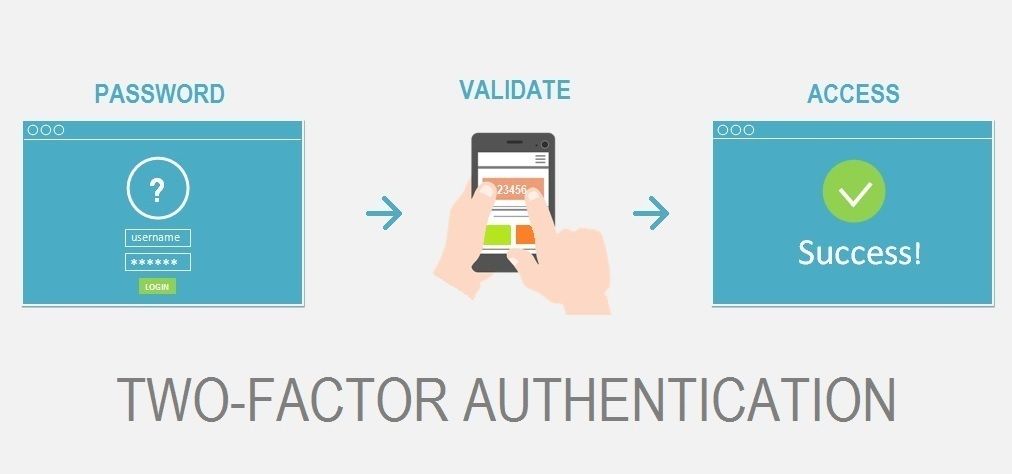</center> <center></center> <h3>THE FIX</h3> There is a fix though! If you didn't properly save your 2FA codes before, then what you need to do is *remove* the 2FA protection from your exchange account and once that is done *enable* it again. This will create a *new* 2FA code and QR code. Set up the 2FA as you did previously, but **this time be sure to properly back-up the recovery code as well!** As long as you have this code, you will always be able to setup the same 2FA again. It is probably a good idea to do this when there are no funds in your exchange account, to avoid any disasters and risks, but it should work in either case. <center></center> During down-times in the crypto markets like these, it's a good thing to finally take care of these smaller hurdles and issues. Like making proper back-ups of all your keys and recovery seeds. Don't underestimate how much it will suck to be locked out of your exchange and how much stress this might give you. <br> <center>[](https://steemit.com/@pandorasbox)</center>_(Art by [Roy Lichtenstein](https://en.wikipedia.org/wiki/Roy_Lichtenstein))_
👍 pandorasbox, cryptomaker, curiousone, fow, drotto, upcyclist, carrinm, upv4life, honolulu, steembasicincome, shredz7, leaky20, hr1, lexiconical, g-dubs, artistchristian, melpost, soo.chong163, tuwore, cogitoergosum1, cryptotem, daan, qurator, shadowspub, gregory-f, oleg326756, scrooger, samiwhyte, superdavey, skycae, wisewoof, theleapingkoala, peppermint24, fishyculture, energyaddict22, abmakko, minnowsupport, pharesim,